Baroque
Describe a website or paste in a URL to redesign, and get back a screen that looks like a designer made deliberate choices — not the generic, samey layouts most AI website generators produce.
🔗 Visit Baroque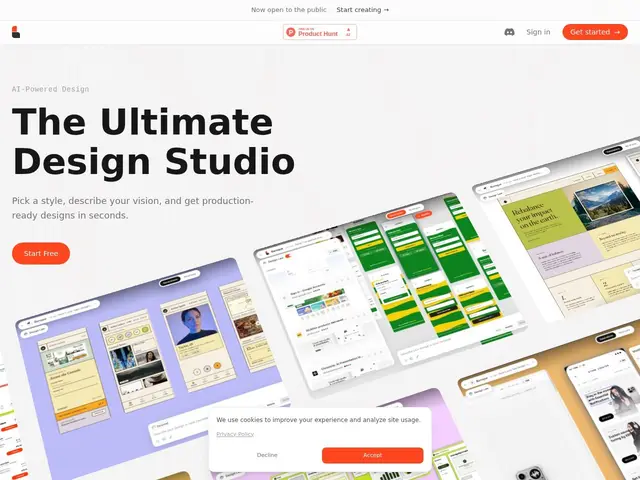
Description
AI website/UI generators have a reputation problem: ask most of them for a landing page and you get a recognizable template — centered headline, three feature cards, testimonial carousel — the same shape regardless of what you actually asked for. Baroque's whole pitch is fighting that sameness: describe your vision, convert an existing wireframe into a styled design, or point it at a URL to redesign, and it aims to produce something with cohesive spacing, color, and componentry that reads as intentional rather than templated.
Output is clean HTML ready for developer handoff, with Figma export and shareable preview links for getting feedback before building. It supports multi-screen projects, so you're not limited to generating one page at a time. It's still early-stage — no public pricing yet, and it hasn't shown up in major AI-design-tool comparison roundups — so it's a newer entrant making a specific quality claim rather than an established player.
💬 Our review
The short version: the 'not generic' claim is the entire value proposition here, and it's a real differentiator if true — most AI design generators (v0, Lovable's design output, generic Figma AI plugins) do converge on similar-looking results, so a tool specifically tuned against that has a real niche to fill.
The catch is that this claim is hard to verify without hands-on testing, and Baroque doesn't yet have the track record or comparison coverage that would let you take it on faith — it's genuinely early (no public pricing, not benchmarked against Uizard, Galileo AI, or v0 in any independent comparison found). Worth trying on a real project before committing budget, especially since pricing isn't public yet to plan around.
💰 Pricing
📊 Global score
🤖 AI-enriched data
Pricing not public; early-stage product from a small team (Aman, Saubhagya, Prabhutva).
Pros
Explicit focus on avoiding the generic/templated look common to AI UI generators
Multiple input modes: text description, wireframe conversion, or URL-based redesign
Clean HTML output plus Figma export for developer/designer handoff
Cons
No public pricing yet
Early-stage — not yet featured in major AI design tool comparisons
The 'not generic' claim is hard to verify without direct hands-on testing