GetWCAG
Scans a website page by page and points out exactly which accessibility problems — text too low-contrast, missing labels for screen readers, unreachable buttons — a company needs to fix to stay on the right side of accessibility law.
🔗 Visit GetWCAG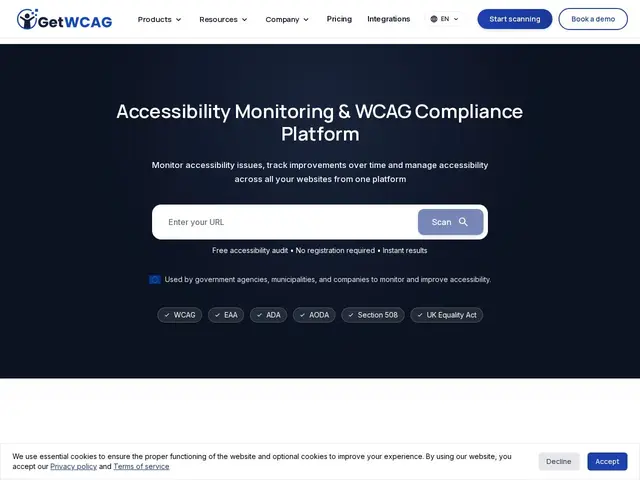
Description
Most websites are quietly unusable for a chunk of their visitors: someone using a screen reader can't tell what an unlabeled button does, someone navigating by keyboard gets stuck because a menu only responds to a mouse, someone with low vision can't read pale gray text on a white background. These are accessibility problems, and in a growing number of places — the EU, the US, Canada, the UK — they're also legal risk, not just a nice-to-have. Checking a whole website for these issues by hand, page by page, is slow and easy to get wrong. GetWCAG automates that check.
GetWCAG is a web accessibility scanning and monitoring platform built around the WCAG 2.1/2.2 standard, with explicit support for compliance frameworks like the EU's European Accessibility Act (EAA), the US ADA and Section 508, Canada's AODA, and the UK Equality Act. It crawls a site with a real browser (not just static HTML parsing, which catches more real-world issues), scans thousands of pages in minutes, and can even scan authenticated user journeys behind a login. Each finding is traced to a specific WCAG success criterion and prioritized by severity, with developer-ready reports pinpointing the exact element at fault. Paid tiers add scheduled monitoring (daily to quarterly), AI-suggested fixes, a team workspace with role-based access, and — notably — an optional manual audit service producing an Accessibility Conformance Report (ACR), since automated scanning alone can't certify full compliance.
💬 Our review
The short version: GetWCAG is a solid, cheap entry point if you need to start catching accessibility problems on a budget — $19/month is far below what enterprise compliance platforms like Siteimprove charge — but don't mistake a clean scan report for legal certainty.
Automated accessibility scanners, this one included, reliably catch maybe a third to a half of real WCAG issues: missing alt text, contrast ratios, unlabeled form fields. What they can't judge well is whether a screen reader user can actually complete a task, which needs a human tester. GetWCAG is honest about this gap and sells a manual audit with an ACR report as a separate add-on, which is the right move rather than pretending automation alone is enough. For a small business just trying to avoid the most obvious legal exposure, the free tier or Basic plan is a reasonable first pass. For a government agency or large enterprise that needs to prove compliance under the EAA or ADA, budget for the manual audit too — the automated scan alone won't hold up on its own.
💰 Pricing
📊 Global score
🤖 AI-enriched data
Gratuit : 10 scans de pages sans carte bancaire (60/mois pour les associations). Payant : Basic 19$/mois (250 pages), Starter 99$/mois (2 000 pages), Growth 399$/mois (6 000 pages), Business 999$/mois (12 000 pages), Enterprise sur devis (12 000+ pages). Audit manuel avec rapport ACR proposé en option payante séparée.
Pros
Palier d'entrée accessible (19$/mois) comparé aux plateformes de compliance enterprise
Scan de site complet en quelques minutes, moteur basé navigateur réel
Scan de parcours authentifiés (pages derrière un login)
Option d'audit manuel avec rapport ACR pour la certification légale
Monitoring programmé (quotidien à trimestriel) pour suivre la dérive dans le temps
Cons
Un scan automatisé ne détecte qu'une partie des problèmes WCAG réels — l'audit manuel reste nécessaire pour une certitude légale complète
Paliers hauts (Business, Enterprise) coûteux pour les gros sites à fort volume de pages
Aucun concurrent cité sur le site, donc pas de positionnement comparatif direct assumé par l'éditeur
Pas d'essai payant intermédiaire entre le free tier limité et l'abonnement Basic