Clevera
Record your screen once, and this tool turns that recording into a polished tutorial video with a real-sounding voiceover, plus a written step-by-step article — automatically, without you editing either one by hand.
🔗 Visit Clevera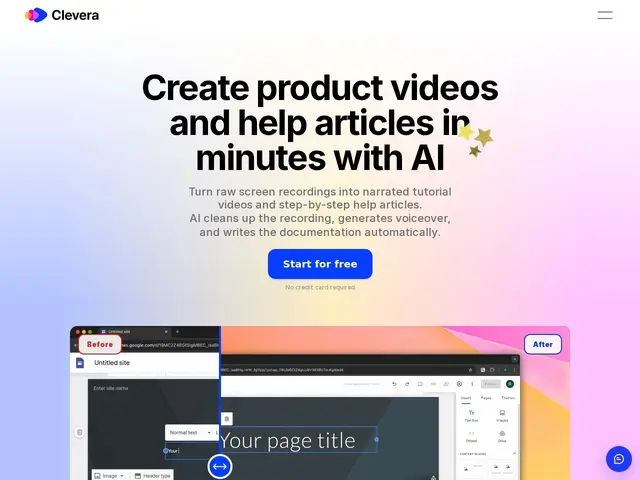
Description
Making a good tutorial video normally means recording, then editing out mistakes, then re-recording narration, then separately writing up the same steps as a help article — four jobs from one piece of knowledge. Clevera collapses that into one: you record your screen, and it generates a cleaned-up video with an AI voiceover (from over 100 voice options), while simultaneously producing a matching written article with screenshots. Edit either version afterward and, notably, updates propagate automatically across every place the content is embedded.
It's aimed at teams that produce a lot of how-to content — SaaS onboarding, customer support, internal training — and translates output into 74 languages, which is a meaningful reach advantage if you support an international user base. Pricing runs Starter at $29/month for individuals, Business at $59/seat/month with a 5-seat minimum ($295/month floor), and Pro at $99/seat/month as the most-featured individual tier — an unusual structure where the mid-tier costs less per seat than the top individual tier because it targets teams rather than individuals.
💬 Our review
The short version: Clevera's core trick — one recording becomes both a video and a written article, staying in sync automatically — is a genuine time-saver if you're currently doing both jobs by hand, but per-seat pricing at $99/month for the full-featured Pro tier adds up fast for anything beyond a small team.
Against Loom, which only handles the video side, Clevera's simultaneous written-article generation is the clear differentiator — support and onboarding teams that need both formats stop doing double work. Against Scribe, which focuses on step-by-step written guides from clicks rather than screen recordings, Clevera's video-plus-voiceover output is richer but requires more setup per capture. The 74-language translation is a real advantage for international teams, and enterprise security (SSO, SAML) suggests it's built for more than solo creators. The unusual pricing structure, where Business seats are cheaper than Pro seats but require a 5-seat minimum, means a genuinely small team pays more per seat than a mid-size one — worth checking against your actual headcount before committing. A good fit for a support or onboarding team that currently produces both video and written docs separately; less compelling if you only ever need one format.
💰 Pricing
📊 Global score
🤖 AI-enriched data
Starter : 29$/mois (individuels). Pro : 99$/poste/mois (le plus complet). Business : 59$/poste/mois (minimum 5 postes = 295$/mois). Essai gratuit sans carte bancaire sur tous les paliers.
Pros
Génération automatisée simultanée d'une vidéo et d'un article écrit depuis un seul enregistrement
Traduction en 74 langues avec voix off naturelles
Édition collaborative en temps réel avec mise à jour automatique partout où le contenu est intégré
Sécurité entreprise : SSO, SAML, chiffrement, permissions par rôle
Cons
Tarification par poste (99$/mois) coûteuse pour de grandes équipes
Nécessite un enregistrement d'écran en entrée — ne génère pas de contenu depuis rien
Peu de détails publics sur la profondeur de personnalisation en usage entreprise