ClickHelp
A cloud tool for technical writers to author, host, and publish user manuals and API docs as a proper website — no need to juggle separate authoring software, a web host, and a PDF exporter.
🔗 Visit ClickHelp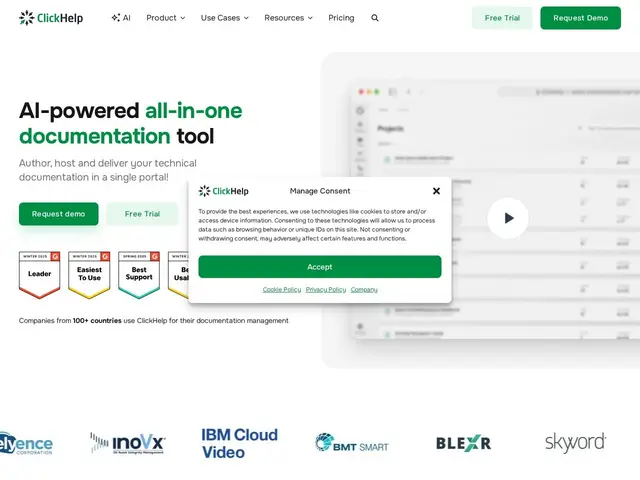
Description
Technical documentation teams traditionally cobble together several tools: something to write in, something to host the published result, and something to handle translations or PDF exports. ClickHelp bundles all of that into one cloud platform — write the manual, publish it as a browsable help site, export to PDF or CHM, and manage translations, all without leaving the tool or standing up your own server.
It's aimed squarely at professional technical writers and documentation leads rather than casual note-takers: multi-contributor authoring with role-based permissions, SOC 2 Type II certification, GDPR/CCPA compliance, and single sign-on are all built in, which matters for regulated industries reviewing who can edit and publish official manuals. The pricing model is straightforwardly subscription-only — Starter at $194/month covers one documentation site, 500 topics, and 2 contributors, scaling up to Professional at $640/month for unlimited topics and 10 contributors, with add-ons like an AI writing suite, REST API access, and SSO priced separately at roughly $130-300/month each.
💬 Our review
The short version: ClickHelp is a solid, enterprise-grade authoring-plus-hosting platform for technical writers who need SOC 2 compliance and multi-contributor workflows, but it's priced and structured for teams that already know they need a dedicated documentation tool — not for someone dipping a toe in.
Against Document360 or Confluence, ClickHelp's differentiator is that it's built by and for professional technical writers first: CHM/PDF export, translation management, and topic-based authoring (a legacy DITA/help-authoring-tool mindset) are native rather than adapted from a general wiki tool. The security posture — SOC 2 Type II, GDPR/CCPA, granular roles — is genuinely strong and a real reason regulated companies pick it. The downsides are structural: there's no free tier at all, every plan is limited to a single documentation site regardless of budget tier (multi-site needs go through sales), and features that competitors bundle — AI writing, API access, SSO — are separate paid add-ons stacking another $130-300/month each on top of the base subscription. Good fit for an established technical writing team migrating off desktop authoring tools like MadCap Flare; a poor fit for a startup that just wants a lightweight public help center without a procurement process.
💰 Pricing
📊 Global score
🤖 AI-enriched data
Starter : 194$/mois (facturation annuelle) — 1 site doc, projets illimités, 500 topics, 2 contributeurs, 5 Go. Growth : 325$/mois — topics illimités, 5 contributeurs, 15 Go. Professional : 640$/mois — topics illimités, 10 contributeurs, 30 Go. Add-ons : suite IA 300$/mois, API REST 132$/mois, SSO 132$/mois. Essai gratuit (plan Professional + module traduction).
Pros
Plateforme cloud tout-en-un : rédaction, hébergement, publication
Sécurité de niveau entreprise : SSO, conformité GDPR/CCPA, certifié SOC 2 Type II
Permissions par rôle flexibles, multi-contributeurs
Export CHM/PDF natif et gestion de traduction intégrée
Cons
Aucun palier gratuit, abonnement obligatoire dès le départ
Limité à un seul site de documentation sur tous les paliers standards
Fonctions IA, API et SSO facturées en add-ons séparés et coûteux