Glaze by Raycast
A tool from Raycast that builds a real, native Mac app from a plain-English description, instead of a web page pretending to be an app.
🔗 Visit Glaze by Raycast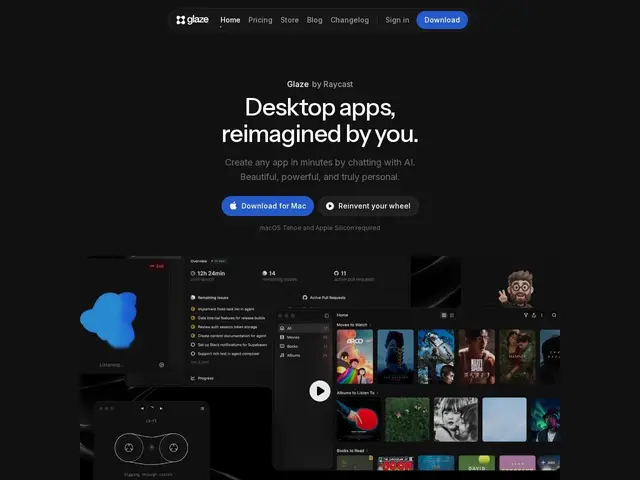
Description
Most "build an app by chatting with AI" tools actually produce a website — it might look like an app in a browser tab, but it doesn't have a dock icon, doesn't launch offline, and can't use your keyboard shortcuts or file system the way a real Mac app can. Glaze, from the team behind the popular Raycast launcher, closes that gap: you describe what you want, and it builds an actual native macOS application that lives on your computer.
Under the hood, an AI coding agent — Raycast says it runs on Claude Code or OpenAI's Codex — writes and assembles the app for you, and because the result is a genuine native app rather than a wrapped webpage, it supports keyboard shortcuts, menu bar integration, background processes, and offline use. You build and refine it by chatting, watching it update in real time, and it's meant to feel like it belongs on your Mac rather than like a hosted product. It came out of a private beta that started in March 2026 and opened to the public on July 1, 2026, with a free tier (120 welcome credits) and a Pro plan at $20/month (200 credits/month).
💬 Our review
The short version: Glaze is a genuinely different answer to "build me an app with AI" than the current wave of web-app builders — it targets a real native Mac app instead of a web page — and Raycast's track record with developer-focused tools gives it more credibility than a random new entrant, but it's Mac-only and free credits run out fast if you iterate a lot.
Against Dyad, Lovable, Bolt.new, and similar tools, the fundamental difference is output format: those build web apps (deployable anywhere, cross-platform, but never quite feeling native), while Glaze specifically targets the macOS-native experience — dock icon, keyboard shortcuts, menu bar presence, offline capability — at the direct cost of only running on one platform. That's a real tradeoff, not a strict upgrade: if you need something a Windows or Linux user can open, Glaze can't help you, full stop. Raycast's own ecosystem is the other half of the pitch — if you already live in Raycast for your daily workflow, having your generated apps feel like first-class citizens there is a genuine convenience a generic web-app builder can't replicate. The honest caveats: it's brand new (public since July 1, 2026), the free tier's 120 welcome credits will disappear quickly on anything beyond a toy project, and $20/month for 200 credits needs to be weighed against how many iterations a typical app actually takes to get right. For a Mac user who specifically wants a native-feeling personal tool and already uses Raycast, it's a compelling and differentiated pick; for cross-platform or web-deployable needs, a browser-based AI app builder remains the more practical choice.
💰 Pricing
📊 Global score
🤖 AI-enriched data
Gratuit avec 120 crédits de bienvenue ; plan Pro à 20$/mois pour 200 crédits/mois.
Pros
Génère une vraie application Mac native, pas une page web déguisée en app
Support des raccourcis clavier, de la barre de menu, du fonctionnement hors-ligne
Backing de Raycast, éditeur reconnu dans l'outillage développeur
Cons
macOS uniquement, aucune option cross-plateforme
Crédits gratuits (120) limités, s'épuisent vite au-delà d'un projet jouet
Produit très récent (public depuis le 1er juillet 2026), peu de recul