Webctl
A free, open-source command-line tool that lets AI agents (and humans) control a web browser, giving you precise control over what information reaches the agent's context instead of dumping the entire page every time.
🔗 Visit Webctl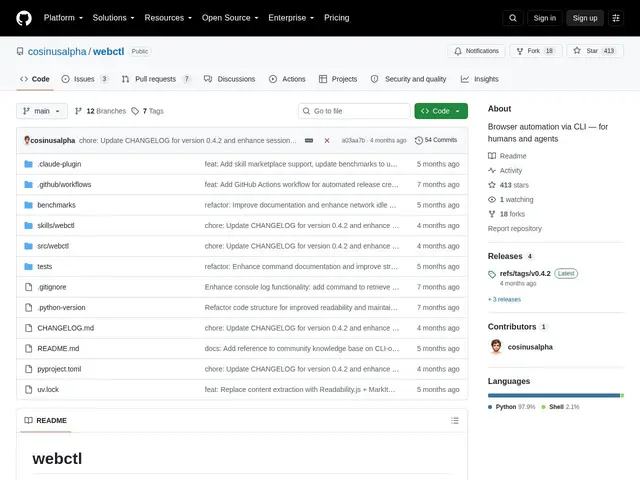
Description
When an AI agent needs to interact with a website — click a button, read a page, fill a form — the usual approach (MCP-based browser tools) tends to push the entire page's accessibility tree into the agent's context window, which burns tokens fast and buries the useful information in noise. Webctl flips that model: it's a CLI, so you decide exactly what data comes back from each command, piping and filtering output the way you would with any other Unix tool.
Webctl runs as a background daemon controlling a real Chromium browser via Playwright, communicating with the CLI client over a Unix socket — that architecture is what enables session persistence (cookies and login state survive between commands), caching, and scripting. It supports semantic element targeting through ARIA roles and landmark-aware filtering, so a command can ask for "the search box" rather than a brittle CSS selector, cutting down the noise in what gets extracted. It's MIT-licensed, integrates with multiple AI agent CLIs (Claude, Goose, Gemini, GitHub Copilot), and supports custom browser configuration and proxy settings. At 412 GitHub stars, it's a smaller, newer project than some browser-automation alternatives, positioned specifically as a leaner alternative to MCP-based browser tools rather than a general web-scraping framework.
💬 Our review
The short version: Webctl's core idea — that a CLI gives you more control over context than an MCP server pushing everything at you — is a genuinely sound critique of how a lot of agentic browser tools work today, and it's free to try, but it's early and small enough that you should expect some rough edges.
Against Playwright MCP, the more common way agents currently get browser access, Webctl's argument is token efficiency and explicit control: instead of the MCP server deciding what accessibility data to surface, you compose CLI commands and pipe exactly what you need, which can meaningfully cut context usage on complex, multi-step browsing tasks — the cost is a steeper learning curve, since you're learning a new CLI vocabulary instead of relying on a standard protocol most tools already speak. Against browser-use, a popular Python framework for AI-driven browser automation, Webctl is lower-level and more Unix-philosophy (do one thing, compose with pipes) versus browser-use's higher-level, more batteries-included approach to defining agent browsing tasks. Against Vercel Labs' agent-browser, a similarly-scoped CLI browser automation tool for agents, the two are close competitors solving the same problem in a similar way — Webctl's differentiator is its Unix-socket daemon architecture for session persistence and its explicit ARIA/landmark-based semantic targeting. The honest caveat: running a background Chromium daemon adds real operational overhead compared to a stateless tool call, and with only 412 stars, the community, documentation depth, and edge-case coverage are thinner than more established alternatives. For a team hitting genuine context-window limits with MCP-based browser tools on complex tasks, it's worth evaluating; for a quick one-off scraping task, browser-use or Playwright MCP remain the path of least resistance.
💰 Pricing
📊 Global score
🤖 AI-enriched data
Licence MIT, entièrement open-source et gratuit.
Pros
Contrôle explicite de ce qui entre dans le contexte de l'agent plutôt que tout pousser (économie de tokens)
Architecture daemon-client par socket Unix : persistance de session, cookies, cache, scriptable
Ciblage sémantique des éléments via rôles ARIA et filtrage conscient des landmarks
Cons
Nécessite de gérer un daemon Chromium en arrière-plan, complexité opérationnelle ajoutée
Courbe d'apprentissage plus raide qu'un outil MCP standard
Écosystème encore restreint (412 stars), documentation et retours communautaires limités