Sonar
A free command-line tool that shows you exactly what's running on your computer's localhost ports and lets you kill it, replacing the usual mess of lsof, ss, and manually hunting for stuck processes. Not to be confused with the SonarQube code-quality prod
🔗 Visit Sonar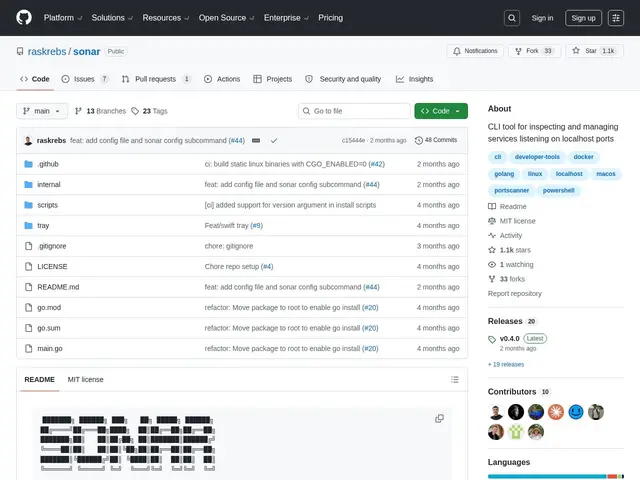
Description
Every developer has been there: you try to start your dev server and get "port 3000 already in use," so you go hunting with lsof or ss to figure out what's squatting on that port, then kill it by PID. Sonar turns that whole ritual into a single readable command — it shows you every service listening on localhost, what process owns it, and lets you kill it directly, with extras like Docker container names and resource usage baked in.
Sonar is a free, MIT-licensed, Go-based CLI (worth noting: it has no relation to SonarQube, the code-quality/security-scanning product from SonarSource — same-ish name, completely different tool). It works cross-platform using each OS's native tools under the hood (lsof on macOS, ss on Linux, netstat on Windows), and beyond basic port listing it shows CPU, memory, thread count, uptime, and health-check status for each service, can kill single processes or filtered groups (by Docker project, by user, with confirmation skipping), tails logs, and even opens a shell into a running container. There's an optional native Swift menu bar app for macOS if you want the same information without opening a terminal.
💬 Our review
The short version: Sonar is a small, focused quality-of-life tool that most developers will genuinely use every week once installed — it's free, does one thing well, and saves the specific annoyance of hunting down what's blocking a port.
Against raw lsof and ss, the built-in Unix tools most developers already reach for, Sonar's value is purely ergonomic: it wraps the same underlying system calls in a friendlier, more readable output with Docker-awareness and health checks baked in, rather than doing anything lsof/ss fundamentally can't. That's a real but modest win — if you're comfortable with a one-line lsof -i :3000 | grep LISTEN, Sonar mainly saves you from remembering flags and from a second command to kill the PID. Against htop, a general process monitor, Sonar is narrower and more targeted specifically at port/service management rather than whole-system resource monitoring, so the two are complementary rather than competing. The honest limitation is scope: Sonar only ever looks at localhost, so it's not a network diagnostic tool for remote services, and its ecosystem (1,000ish stars, 33 forks) is small compared to established process managers, meaning less community troubleshooting if something's platform-specific and broken. For anyone who kills stuck dev-server processes more than once a week, it's a genuinely worthwhile five-minute install; for occasional use, the built-in OS tools remain perfectly adequate.
💰 Pricing
📊 Global score
🤖 AI-enriched data
Licence MIT, entièrement gratuit et open source.
Pros
Remplace les commandes manuelles lsof/ss/netstat par une sortie lisible en une commande
Affiche les conteneurs Docker, projets Compose et l'usage ressources (CPU, mémoire, uptime)
Support multi-plateforme natif (macOS, Linux, Windows), app menu bar macOS en option
Cons
Limité aux services localhost, ne scanne pas les ports d'une autre machine
Gain surtout ergonomique par rapport à lsof/ss pour qui les connaît déjà bien
Écosystème et communauté encore restreints (~1k stars)