Graphify
A free, open-source tool that turns an entire codebase — code, docs, database schemas, config files — into a map of how everything connects, so an AI coding assistant can find the right file instead of guessing.
🔗 Visit Graphify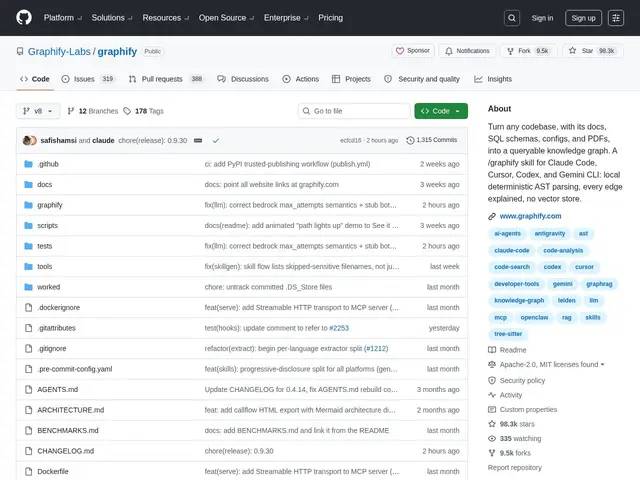
Description
When an AI coding assistant works on a large codebase, it often has to guess which files are related to a task, because it can't "see" the whole project at once. Most tools solve this with vector search — turning code into fuzzy numerical representations and finding "similar" chunks — which is powerful but approximate and can surface irrelevant matches. Graphify takes a different, more precise route: it parses your code, docs, SQL schemas, config files, and even PDFs into an actual graph of explicit relationships (this function calls that one, this config is read by that service), so a query returns exact structural connections rather than a fuzzy guess.
Graphify runs entirely locally using tree-sitter for AST parsing across 36+ programming languages, meaning no LLM call is needed just to build the graph — the structure comes from deterministic code parsing, not statistical similarity. It tags every relationship in the graph as either EXTRACTED (directly parsed from code) or INFERRED (a best-guess connection), giving you transparency about how confident each link is. It's dual-licensed under Apache-2.0 and MIT, distributed as a free PyPI package, and integrates with 20+ AI coding assistants including Claude Code, Cursor, GitHub Copilot, and Gemini CLI. A commercial enterprise version is available on a waitlist at graphify.com for teams wanting managed infrastructure.
💬 Our review
The short version: Graphify's deterministic, AST-based approach to codebase understanding is a genuinely sound engineering bet against pure vector search, and the confidence-tagged edges (EXTRACTED vs INFERRED) are the kind of transparency detail that suggests careful design rather than a rushed AI-hype project.
Against Sourcegraph, the established code-search platform many larger engineering orgs already pay for, Graphify's advantage is being free, local-first, and structurally precise rather than fuzzy-match based — but Sourcegraph offers a mature hosted product with enterprise support that Graphify's community edition doesn't match yet. Against CodeQL, GitHub's static analysis query language, the comparison is closer: both build structural representations of code, but CodeQL is oriented toward security and correctness queries with its own query language, while Graphify is oriented toward feeding AI coding assistants accurate context, with a friendlier graph-query interface for that specific purpose. Against codebase-memory-mcp, a smaller, more narrowly-scoped MCP server doing something conceptually similar, Graphify is the more mature and broadly-integrated option (36+ languages, 20+ assistant integrations) at the cost of a steeper learning curve for its graph query interface versus a simpler MCP tool call. The honest friction point: the installable package name (graphifyy, with a double 'y') doesn't match the project name, which trips people up, and the enterprise tier is gated behind a waitlist with unclear support guarantees. For a team feeding a large, multi-language codebase to AI assistants and hitting the limits of vector search, it's worth the setup; for a small project, simpler tools remain adequate.
💰 Pricing
📊 Global score
🤖 AI-enriched data
Double licence Apache-2.0 / MIT, gratuit via PyPI ; version entreprise payante en liste d'attente sur graphify.com.
Pros
Parsing AST local via tree-sitter — aucun LLM requis, graphe déterministe et reproductible
Arêtes taguées par niveau de confiance (EXTRACTED vs INFERRED) pour une traçabilité transparente
Supporte 36+ langages et s'intègre à 20+ assistants de codage IA
Cons
Interface de requête en graphe, pas en langage naturel — courbe d'apprentissage réelle
Nom du package PyPI (graphifyy) différent du nom du projet, friction de découverte
Version entreprise derrière une liste d'attente, support/SLA incertains