TikZ Editor
A free, browser-based code editor for TikZ, the LaTeX language for drawing precise technical diagrams — no install, no LaTeX setup needed on your machine.
🔗 Visit TikZ Editor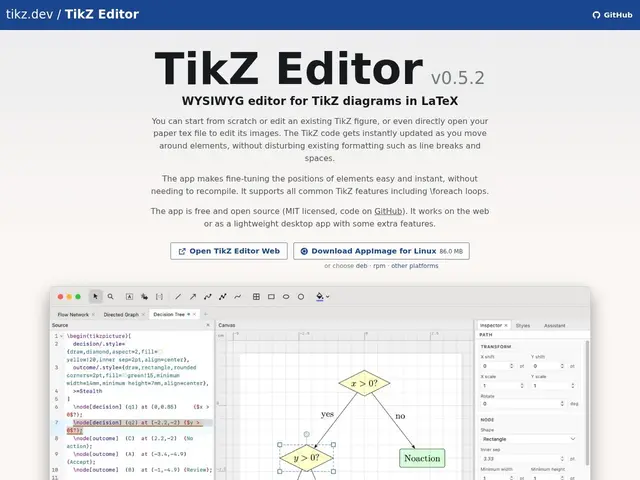
Description
Anyone who's written an academic paper or technical document in LaTeX knows the pain of getting a diagram just right — TikZ is the tool LaTeX users reach for because it draws with code instead of a mouse, giving pixel-precise, resizable graphics that match the rest of the document perfectly. The catch has always been that trying out TikZ meant installing a full LaTeX toolchain locally just to see if a diagram compiled. TikZ Editor removes that barrier: it's a free website where you write TikZ code and see the rendered diagram immediately, in your browser, with nothing to install.
TikZ itself (the recursive joke "TikZ is not a drawing program" is where the name comes from) is a mature, open-source graphics package for TeX/LaTeX supporting coordinate systems, nodes, edges, arrows, matrices, trees, multiple graph-layout algorithms, data visualization, 3D drawing, transparency and animation — it's genuinely capable of far more than most GUI diagram tools once you know the syntax. The web editor at tikz.dev is community-maintained, free, with no account or subscription, and backed by over 1,000 pages of official TikZ documentation and examples for when you get stuck.
💬 Our review
The short version: TikZ Editor is a small but genuinely useful tool — it takes an already-excellent but historically install-heavy diagramming language and makes it a zero-setup, try-it-in-30-seconds web experience, which is exactly the friction LaTeX/TikZ needed removed.
Against draw.io, TikZ Editor is much narrower and code-first rather than drag-and-drop — you write TikZ syntax, not click shapes — but the payoff is diagrams that compile natively into a LaTeX document with matching fonts and precision that a GUI export never quite replicates. Against Asymptote, a similar code-based vector language for LaTeX, TikZ has the larger community and more examples, which TikZ Editor leans on directly through its documentation links. The real limitation isn't the editor, it's TikZ itself: there's a genuine learning curve to the syntax, no WYSIWYG shortcuts, and recompiling on every tweak can feel slow compared to a drag-and-drop tool. For anyone already writing LaTeX who needs a diagram, though, this free editor is a clear upgrade over a local-only workflow.
💰 Pricing
📊 Global score
🤖 AI-enriched data
Gratuit et open-source, aucun compte requis, éditeur web sans coût.
Pros
Aucune installation LaTeX locale nécessaire pour tester du code TikZ
Gratuit, open-source, sans compte
Diagrammes précis et natifs au rendu LaTeX (polices, échelle cohérentes)
Cons
Courbe d'apprentissage de la syntaxe LaTeX/TikZ
Pas d'interface WYSIWYG, workflow basé code
Recompilation parfois lente pour de petits ajustements