Bento
A free tool that builds animated slide presentations as a single self-contained HTML file — no cloud account, no install, works fully offline.
🔗 Visit Bento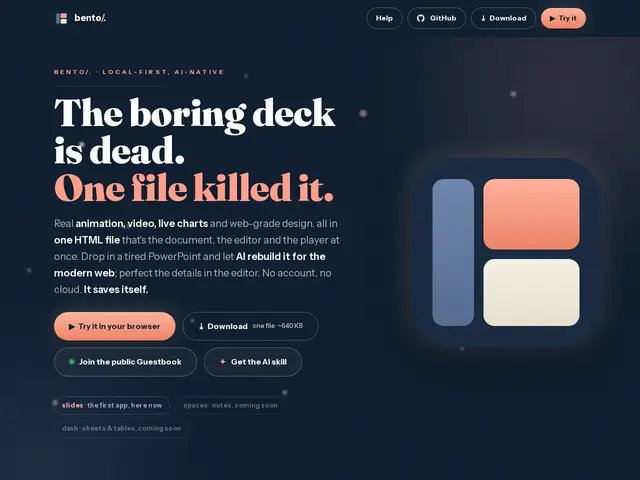
Description
Presentation software normally means an account, a cloud file you don't fully control, and a format that only opens correctly in the app that made it. Bento takes the opposite approach: you build your slides and it hands you back one HTML file that contains the entire presentation — animations, embedded video, charts and all. Open that file in any browser, on any computer, with no internet connection and no login, and it looks and behaves exactly the same.
Technically, Bento is a local-first, open-source (MIT) presentation tool that stores each deck as portable, human-readable JSON, which is what makes it "AI-native" — an AI agent or script can read and edit a Bento deck directly without needing to reverse-engineer a binary format like .pptx. It supports real animated transitions, element morphing between slides, embedded video and live charts, and offers live collaborative editing with end-to-end encryption when you do want to work with others. Because the whole product is the download itself, there's no vendor lock-in, no subscription, and no server dependency — a meaningful trade for engineers and technical teams who'd rather own their files outright.
💬 Our review
The short version: Bento is a genuinely clever bet — free, local-first, single-file slides that an AI agent can edit as easily as a human — and for technical users tired of Google Slides' cloud lock-in or PowerPoint's bloated format, it's a compelling and zero-cost alternative worth trying.
Against Google Slides or PowerPoint, Bento trades a mature template library, huge integration ecosystem, and familiar UI for portability, privacy, and a data format built for automation rather than for humans clicking menus. Against Figma (sometimes used for pitch decks), Bento is far lighter and purpose-built for presenting rather than general design. The real risk is maturity: it's a new project with a small community, fewer templates, and none of the decades of polish competitors have, so teams doing complex multi-author decks at scale may still hit rough edges. For an engineer who wants a quick, private, portable deck they can script or hand to an AI to update, though, the price (free) makes it an easy tool to keep in the back pocket.
💰 Pricing
📊 Global score
🤖 AI-enriched data
100% gratuit et open-source (MIT). Aucun palier payant, aucun compte requis — le téléchargement EST le produit complet.
Pros
Fichier HTML unique, portable, fonctionne 100% hors-ligne sans compte
Format JSON éditable par des agents IA/scripts, pas seulement à la souris
Gratuit et open-source, animations et graphiques live inclus
Cons
Écosystème de templates et tutoriels encore limité vs PowerPoint/Slides
Moins adapté aux très gros decks collaboratifs multi-équipes
Communauté jeune, moins de ressources tierces