Hardbook
A booking link for freelancers that doesn't just reserve a date — it automatically fills out a contract with the booking details and gets it signed, so the job is legally locked in the moment the client picks a slot, not days later after paperwork catches
🔗 Visit Hardbook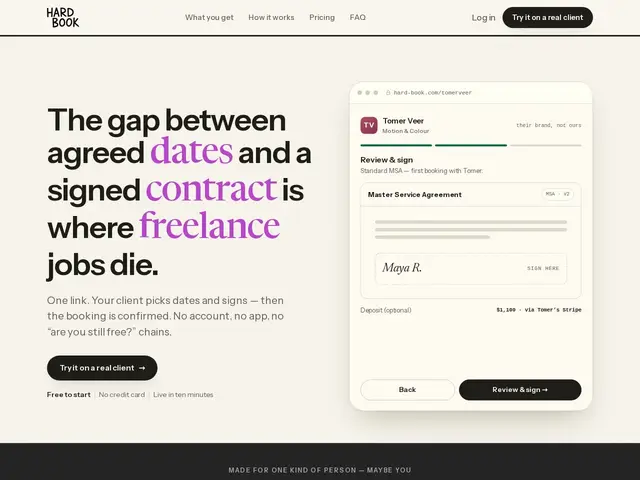
Description
For day-rate freelancers — video editors, photographers, motion designers and similar — the moment between "client picked a date" and "contract signed" is where jobs quietly fall through: the client goes quiet, forgets to sign, or books someone else in the gap. Hardbook closes that gap by combining calendar booking with contract generation and e-signature in one flow — the client picks a date through a one-link booking page (no account needed), and Hardbook auto-populates a contract template (MSA or SOW) with the booking details for signature on the spot.
It syncs with Google Calendar, supports deposit collection through Stripe, gives calendar hold states (pencilled vs. hard booked) so double-bookings are avoided, and wraps everything in a branded client portal. It's free to start with no credit card required; detailed pricing tiers beyond that aren't listed on the homepage.
💬 Our review
The short version: for freelancers who've been burned by a client ghosting between "let's book this" and an actual signed contract, Hardbook's core idea — collapse booking and contract-signing into one step — solves a real, specific pain point that using Calendly and DocuSign separately doesn't, since those two tools don't talk to each other automatically.
The honest tradeoff is that Calendly and DocuSign are each individually more mature and more broadly useful outside this specific freelance-booking niche — Hardbook's value is entirely in that narrow combination. If your bookings routinely require a signed contract before the job is locked in, that narrow focus is exactly the point; if you rarely need contracts, a plain booking link is simpler.
💰 Pricing
📊 Global score
🤖 AI-enriched data
Gratuit pour démarrer, sans carte bancaire. Grille tarifaire détaillée non publiée sur la page d'accueil (page /pricing référencée mais non accessible au moment de la rédaction).
Pros
Combine réservation de créneau ET signature de contrat en un seul flux
Contrat auto-rempli avec les détails de la réservation (MSA/SOW)
Collecte d'acompte via Stripe, portail client à sa marque
Cons
Grille tarifaire complète non publiée
Moins polyvalent que Calendly ou DocuSign pris séparément hors de ce cas d'usage précis
Utile surtout si un contrat signé est systématiquement nécessaire avant le job