Tailkits
A library of ready-made Tailwind CSS components you can copy-paste into a project — or, if you code with Claude or Cursor, let your AI assistant pull them in directly via MCP.
🔗 Visit Tailkits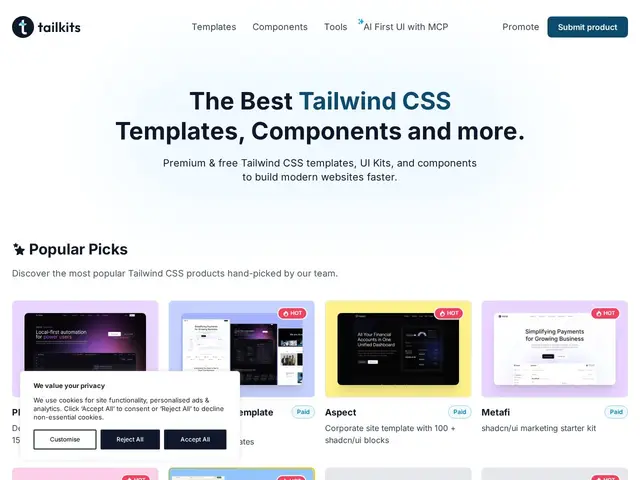
Description
Building a landing page from scratch means writing the same hero sections, pricing tables, and testimonial layouts that have already been built a thousand times elsewhere. Tailkits is a curated directory of 200+ production-ready Tailwind CSS components across 21 categories, so instead of building common UI patterns from zero you copy-paste ones that already work.
It's framework-agnostic — components work with React, Vue, Next.js, Laravel, and Astro — and every component is mobile-first and manually reviewed for quality rather than auto-generated. It supports both Tailwind CSS v3 and v4. The notable technical feature is native MCP (Model Context Protocol) server support, which lets AI coding assistants like Claude, Cursor, Windsurf, and Copilot pull components directly into a project rather than a developer manually browsing and copying. 30+ components are free; the Solo plan is $49/year (regular $79) and Team is $89/year for up to 10 members (regular $149), both with unlimited projects and MCP usage.
💬 Our review
The short version: for anyone who builds a lot of marketing pages or admin dashboards, a well-curated, manually-reviewed component library saves real time versus building common patterns from scratch — and the MCP integration is a genuinely forward-looking feature if you already work inside an AI coding assistant.
Against free open-source Tailwind component collections (Tailwind UI's free tier, Flowbite, DaisyUI), Tailkits charges $49-89/year, so the value case rests on curation quality and the MCP integration rather than raw component count — free alternatives exist, but Tailkits' AI-assistant-native workflow is less common among them. Against Tailwind UI itself (the official paid component library from the Tailwind team), Tailkits is cheaper per year but comes from a smaller, less established source — worth comparing component breadth and update frequency directly if you're choosing between the two. The MCP support is the feature likeliest to age well as more developers shift toward AI-assisted coding, but it's also new enough that its practical reliability is worth testing on your actual stack before committing annually.
💰 Pricing
📊 Global score
🤖 AI-enriched data
Solo 49$/an (régulier 79$), Team 89$/an (régulier 149$, jusqu'à 10 membres). 30+ composants gratuits disponibles, projets et usage MCP illimités inclus.
Pros
200+ composants revus manuellement, pas générés automatiquement
Support MCP natif pour assistants de code IA (Claude, Cursor, Windsurf, Copilot)
Agnostique au framework (React, Vue, Next.js, Laravel, Astro)
Cons
Alternatives gratuites existent (Flowbite, DaisyUI)
Source moins établie que Tailwind UI, l'offre officielle
Support MCP encore récent, fiabilité à tester sur sa propre stack