Plannotator
A free, open-source tool that opens AI coding agent plans and diffs in your browser for a real visual code review, then sends your line comments straight back to the agent.
🔗 Visit Plannotator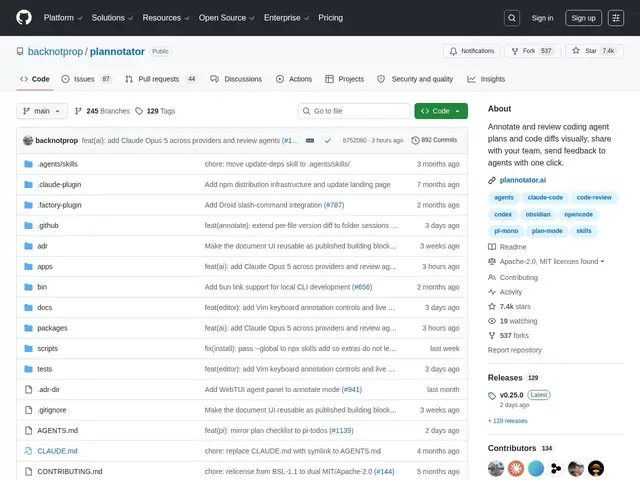
Description
When you ask an AI coding assistant to make a change, it often proposes a plan first, or hands you a big diff to review — and reviewing that inside a terminal, scrolling through raw text, is awkward. You end up copy-pasting chunks into a chat to leave a comment, or just approving things you didn't fully read because scrutinizing a wall of code in a terminal is tedious. Plannotator takes that plan or diff and opens it in your browser as a clean, readable interface where you can mark it up like a real code review — leaving comments on specific lines — and send that feedback straight back to the AI agent to act on.
It's a free, open-source, local-first tool (MIT/Apache-2.0) that works with nine-plus coding agents including Claude Code, Codex, OpenCode, GitHub Copilot CLI, Gemini CLI, Amp, Droid and Kiro CLI, through host-specific hooks, plugins or skills. It handles local Git, Jujutsu, GitButler and Perforce changes, and can also open a GitHub pull request or GitLab merge request URL directly. Everything runs on your machine — no data leaves your computer — with draft auto-save and encrypted link sharing if you want a teammate to review the same plan or diff with you.
💬 Our review
The short version: if you're already working with an AI coding agent and find yourself squinting at raw diffs in a terminal, Plannotator turns that into an actual visual review with line comments, and it's free.
What sets it apart from just using your editor's built-in diff viewer or GitHub's PR review UI is that it's built specifically for the agent loop — comments you leave get sent back to the agent as structured feedback it can act on immediately, rather than you manually copy-pasting notes into a chat window. With 7,400+ GitHub stars it's clearly resonating, and supporting nine-plus different agents (not just Claude Code) means it's not a single-vendor lock-in play. The catch is the hosted 'Plannotator Workspaces' team layer is still waitlist-only, so for now it's really a solo-developer tool with shareable links rather than a true team collaboration platform — worth watching but not yet a Linear-style team review flow.
💰 Pricing
📊 Global score
🤖 AI-enriched data
100% gratuit, double licence MIT/Apache-2.0, exécution locale. Couche équipe hébergée 'Workspaces' en liste d'attente, tarif non communiqué.
Pros
Gratuit et open-source, 7400+ étoiles GitHub
Compatible avec 9+ agents de code IA
Exécution 100% locale, aucune donnée envoyée
Renvoie les annotations directement à l'agent
Cons
Couche équipe hébergée (Workspaces) encore en liste d'attente
Pas encore un vrai outil de collaboration d'équipe complet
Date de lancement précise non communiquée