Tokimeter
A local meter that tells you exactly how much your AI coding tools (Claude Code, Cursor, Copilot, and others) are actually costing you, reading their logs on your own machine instead of sending anything to a server.
🔗 Visit Tokimeter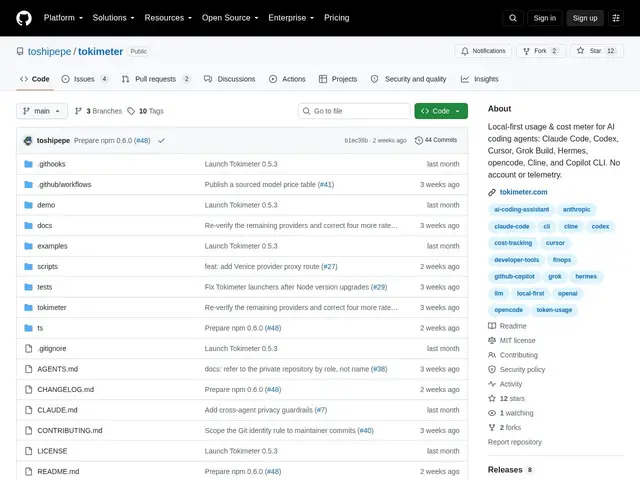
Description
If you use more than one AI coding assistant, it's genuinely hard to know your real total spend — each tool has its own dashboard, if it has one at all, and none of them talk to each other. Tokimeter solves this by reading the local usage logs each tool already writes on your machine and turning them into one unified picture of cost and usage, entirely offline by default.
Tokimeter tracks Claude Code, Codex, Cursor, Grok Build, Hermes, opencode, Cline, and Copilot CLI, with no account, API key, or telemetry required for its free local CLI tier — it reads logs and reports, full stop, never uploading prompts or code. It supports budget alerts on 5-hour and 7-day windows, live usage monitoring via CLI commands, and a status-line HUD that shows spend directly inside your editor. The optional paid Tokimeter Pro tier ($4-5/month) adds a hosted dashboard for syncing usage across multiple devices, and a Team plan ($10-12/user/month) extends that to shared team-level visibility. It's built with a TypeScript CLI/core plus a Python SDK for custom integrations, and requires Node.js 18+.
💬 Our review
The short version: for the price of a coffee a month (or free if you only need one device), Tokimeter answers a question every heavy AI-coding-tool user eventually asks — 'where is all this spend actually going?' — and does it without shipping your prompts to a third-party server, which is the right privacy trade-off for a tool that's reading your coding session logs.
The local-first, no-telemetry design is the standout decision here: a tool whose entire job is reading logs from coding sessions is exactly the kind of tool you don't want phoning home, and Tokimeter is explicit that it never uploads prompts or code. Tracking eight different tools (Claude Code, Cursor, Copilot CLI, and more) in one place is genuinely useful if you bounce between assistants, and the free tier is fully functional for a single machine. At 2 GitHub stars, this is an early project without a long track record, so budget alerting accuracy and coverage of newer tools should be spot-checked before relying on it for real budget enforcement — but the low price and privacy-respecting architecture make it low-risk to try.
💰 Pricing
📊 Global score
🤖 AI-enriched data
Gratuit (CLI locale complète) ; Pro 4-5$/mois (sync multi-appareils) ; Team 10-12$/utilisateur/mois.
Pros
Local-first, zéro télémétrie — ne remonte jamais prompts ou code
Couvre 8 outils différents (Claude Code, Cursor, Copilot CLI...) dans un seul rapport
Plan gratuit pleinement fonctionnel pour un usage mono-appareil
HUD en barre de statut directement dans l'éditeur
Cons
Projet récent, seulement 2 stars GitHub, peu de recul
Couverture des outils les plus récents à vérifier au cas par cas
Fonctions Team encore limitées comparées à un vrai outil de gestion de coûts d'entreprise