Axiom
A browser extension that lets you build automated tasks — clicking, filling forms, scraping data — by recording your own actions, no coding needed, and now with AI helping write the steps.
🔗 Visit Axiom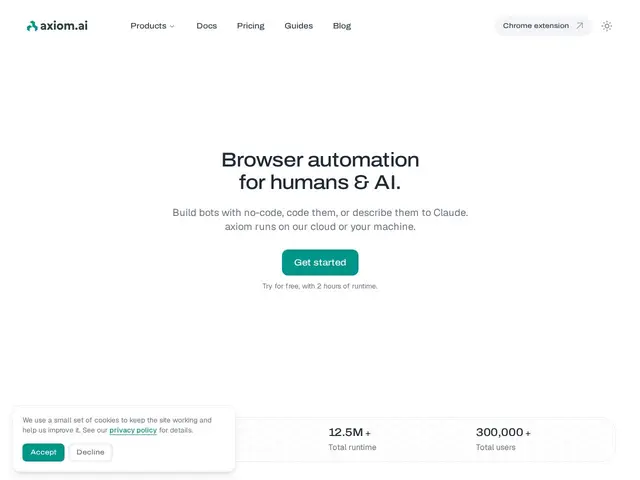
Description
Plenty of everyday work involves repeating the same clicks and typing across websites — copying data from one system into another, checking a page for updates, filling out the same form over and over. Axiom lets you record yourself doing that once, in a Chrome extension, and then replay it automatically — like a macro recorder for the entire web, plus an AI assistant (built on Claude) that can help write or fix the steps for you.
Axiom is a no-code browser automation platform delivered as a Chrome extension, supporting both cloud and local desktop execution, with deep Claude integration for AI-assisted automation building and a library of pre-built steps to reduce boilerplate. Pricing runs four tiers: Starter ($15/month, 5 hours runtime), Pro ($50/month, 30 hours), Pro Max ($150/month, 100 hours), and Ultimate ($250/month, 250 hours), with higher tiers unlocking more concurrent cloud execution and priority support. It targets non-technical users wanting visual automation, developers embedding automation into their stack, and enterprise teams needing reliable bot operations at scale.
💬 Our review
The short version: if you want to automate repetitive browser tasks without learning a full workflow-builder platform, Axiom's record-and-replay approach plus AI assistance is one of the more approachable options, priced by runtime hours rather than by task count.
Axiom competes with a crowded field of browser-automation tools — Zapier's browser extension, Browse AI, and open-source options like Browser Use — but its specific angle is runtime-hour pricing (rather than per-task pricing like Zapier) combined with dual cloud/local execution, useful if you want automations running even when your machine is off, or conversely want to keep sensitive automation entirely local. The Claude integration for AI-assisted step-writing is a meaningful time-saver for non-technical users who'd otherwise have to manually configure each step. At $15/month for Starter, it's cheap enough for individual use, but the runtime-hour model means cost scales differently than competitors — worth estimating your actual automation runtime before comparing prices directly against a per-task tool.
💰 Pricing
📊 Global score
🤖 AI-enriched data
Starter 15$/mois (5h runtime) ; Pro 50$/mois (30h) ; Pro Max 150$/mois (100h) ; Ultimate 250$/mois (250h).
Pros
Enregistrement visuel simple des actions, pas besoin de coder
Double exécution cloud + desktop local
Intégration profonde avec Claude pour l'automatisation assistée par IA
Tarification par heures de runtime, prévisible dès 15$/mois
Cons
Modèle de tarification par heures peut être moins intuitif à estimer qu'un prix par tâche
Marché très concurrentiel de l'automatisation de navigateur
Moins d'intégrations d'apps tierces qu'un outil généraliste comme Zapier