Arky
A spatial AI canvas for mapping research and ideas visually, with a separate view to turn that map into a linear document.
🔗 Visit Arky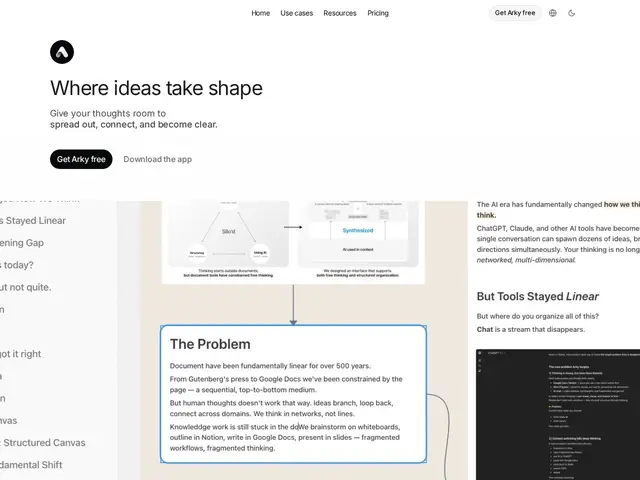
Description
Arky is built on the idea that thinking isn't actually linear — it's more like a corkboard with string connecting index cards — so instead of forcing your research or project plan into a single scrolling document, it gives you a spatial canvas where you can drag notes, PDFs, and AI-generated diagrams around and physically arrange how ideas connect. When you're ready to write, a separate 'Docs' view turns that spatial layout into a normal linear document without losing the structure you built.
It's aimed at researchers, students, and builders — currently used by people at Stanford, Oxford, Yale, and UC Berkeley — for tasks like literature reviews and project planning, where organizing fragmented information into something coherent is the actual hard part. It's in open beta and free to use during that period, with paid Plus ($12/mo) and Max ($30/mo) tiers already listed for when higher AI usage limits and PDF uploads are needed.
💬 Our review
The short version: if you've ever tried to plan a research paper or a complex project in a linear doc and felt like the structure kept fighting you, Arky's spatial canvas is worth trying while it's still in free beta.
Against Miro or FigJam, which are built for team workshops and diagramming, Arky is more personal-thinking-tool shaped — closer to a Roam Research or Obsidian competitor that adds AI-native diagram generation and a genuine 'canvas to linear doc' handoff. Against those note-taking tools, Arky's visual-first approach is the differentiator, though it's a much younger product with a thinner track record and smaller community than Obsidian's plugin ecosystem. Since it's currently free during open beta, there's no real cost to trying it now — the real test will be whether the $12-30/month tiers feel worth it once free AI usage limits get tight. <!-- ai-generated -->
💰 Pricing
📊 Global score
🤖 AI-enriched data
Gratuit en beta (IA limitée) ; Plus 12$/mois ; Max 30$/mois
Pros
Gratuit pendant la beta
Canvas spatial vers doc linéaire fluide
Diagrammes IA automatiques
Cons
Produit jeune, moins stable/mature
Palier gratuit sans upload PDF