A11yFlow
Points a real browser at your website and tells you, in plain terms, which parts are unusable for people with disabilities — and how to fix them.
🔗 Visit A11yFlow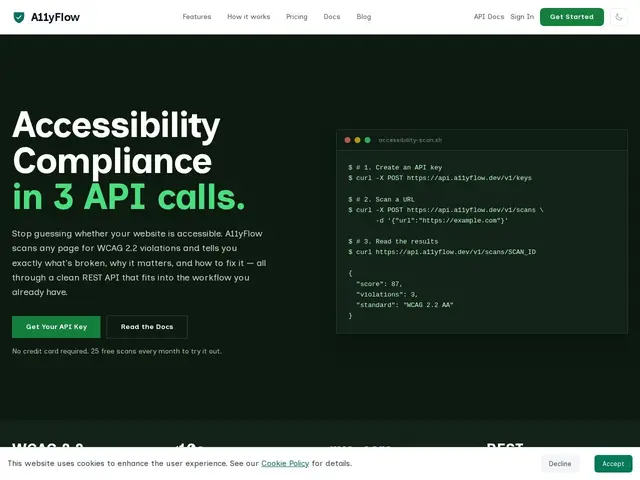
Description
Making a website accessible to people using screen readers, keyboard navigation, or who simply need higher contrast text is a legal requirement in many places and the right thing to do everywhere — but checking for it by hand on every page is tedious and easy to skip. A11yFlow automates that check: you submit a URL, it loads the page in a real browser exactly like a visitor would, and it reports back which parts violate accessibility standards, ranked by how serious the problem is, along with guidance on how to fix each one.
Technically, it's a REST API built on Chromium (so JavaScript-heavy, client-rendered pages are tested correctly, not just static HTML) combined with the axe-core accessibility engine, checking against the WCAG 2.2 standard. It plugs into CI/CD pipelines so accessibility checks can run automatically on every deploy, and offers a CLI and an MCP server so AI coding assistants can run and interpret scans directly. Higher tiers add multi-page crawling and scheduled recurring scans. The team is upfront that automated tools like this catch roughly 57% of accessibility issues by volume — it's a strong first pass, not a replacement for manual review.
💬 Our review
The short version: if you're a developer who wants automated accessibility checking wired into your existing pipeline rather than a one-off manual audit, A11yFlow is built exactly for that, and its honesty about the 57% automated-detection ceiling is a good sign rather than a red flag.
Compared to general-purpose accessibility checkers like WAVE or axe DevTools (browser extensions meant for manual, page-by-page checking), A11yFlow's real edge is being API-first and CI/CD-native — it's meant to run unattended on every deploy, not to be clicked through by a person. Against enterprise platforms like Level Access or Deque's full suite, it's dramatically cheaper and simpler, at the cost of the compliance reporting and legal-audit trail those larger platforms provide. For a small-to-mid team that just wants automated guardrails without an enterprise contract, the £19/month Starter tier is a genuinely fair price. <!-- ai-generated -->
💰 Pricing
📊 Global score
🤖 AI-enriched data
Gratuit (25 scans/mois) à £149/mois (25 000 scans), Enterprise sur devis
Pros
Rendu Chromium réel, teste aussi le JS côté client
Natif CI/CD, scan automatique à chaque déploiement
CLI + serveur MCP pour agents IA
Transparence sur les limites de la détection automatisée
Cons
La détection automatisée seule ne suffit pas à la conformité totale
Moins de reporting que les plateformes de conformité enterprise
Crawl multi-pages et scans planifiés réservés aux offres supérieures