TokenBar
A little gauge that sits in your Mac's menu bar and tells you, at a glance, how much of your AI credits you've burned through today — across every AI tool you use, not just one.
🔗 Visit TokenBar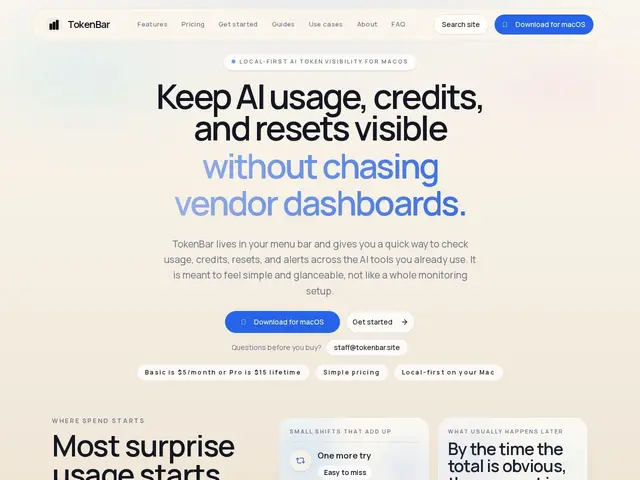
Description
Anyone using several AI coding assistants at once — Claude, Cursor, Copilot, Gemini, and the rest — knows the annoyance of checking usage limits: each provider hides that number in a different dashboard, if it shows it at all. TokenBar fixes that by living permanently in the macOS menu bar and showing burn rate, daily totals, remaining credits, and reset countdowns for every connected provider in one glance, the same way a battery icon works — you don't have to think about it until it matters.
It supports OpenAI, Claude, Gemini, Cursor, Copilot, OpenRouter, Vertex AI, JetBrains AI, Ollama and more, and everything is processed locally on the device rather than sent to a server. It also throws in a small system dashboard (CPU, memory, energy, thermal) since it's already sitting in the menu bar. Pricing is either $5/month or a $15 one-time lifetime license for a single Mac, made by Aura Technologies LLC.
💬 Our review
The short version: if you juggle three or more AI coding tools and keep getting surprised by hitting a quota mid-task, TokenBar's one-glance menu bar view is worth the $15 lifetime price on its own.
Compared to open-source alternatives on GitHub that do something similar (like TokenBar's own open-source cousins or ai-token-monitor), the paid version's advantage is polish, breadth of supported providers, and the added system-load dashboard — those free tools typically track one or two providers only. Against just checking each vendor's dashboard manually (free, but slow and easy to forget), TokenBar's value is purely convenience: no new capability, just visibility you didn't have before. At $15 one-time, it's a low-risk buy for anyone who already spends real money across multiple AI subscriptions.
💰 Pricing
📊 Global score
🤖 AI-enriched data
$5/mois (Basic) ou $15 en paiement unique à vie pour un Mac (Pro)
Pros
Vue unifiée en un coup d'œil dans la barre de menu macOS
Couvre 9+ fournisseurs IA en simultané
Traitement 100% local, aucune donnée envoyée à un serveur
Licence à vie à $15, très bon marché pour l'usage
Cons
macOS uniquement
Alternatives open-source gratuites existent (moins de fournisseurs couverts)
N'ajoute aucune fonctionnalité au-delà de la visibilité
Abonnement à $5/mois moins intéressant que la licence à vie