Nibware
A library of over 1,250 ready-made SwiftUI building blocks you can copy straight into your iOS app, each one shown as an actual screenshot so you know exactly what you're getting before you paste the code.
🔗 Visit Nibware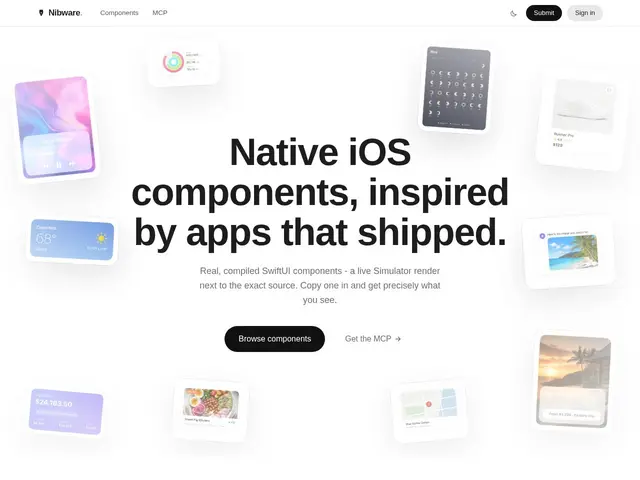
Description
Building a polished iOS interface from scratch means writing (or asking an AI to write) SwiftUI code for common patterns — cards, onboarding flows, settings screens — that thousands of other developers have already built before. Nibware is a catalog of exactly those components, pre-written and verified, so you can skip reinventing them.
Nibware offers 1,252+ SwiftUI components across 43 categories, each one paired with a live Simulator screenshot so you can see what the code actually renders before you copy it, rather than guessing from a code snippet alone. Every component is pure SwiftUI for iOS 17+, self-contained with built-in helpers so there's no dependency management to untangle, and the project claims 100% compilation guaranteed. It's specifically positioned for developers using AI coding assistants like Claude Code and Cursor, presumably because verified, working components are safer to hand to an AI as reference than generating UI code from scratch. There's no pricing page — the catalog appears to be free to browse and use.
💬 Our review
The short version: if you're an iOS developer (especially one leaning on Claude Code or Cursor to write UI) tired of debugging AI-generated SwiftUI that doesn't compile, Nibware's pre-verified component catalog is a free way to skip that entire class of problem.
It's not really a competitor to Apple's own SwiftUI framework — it's a curated library built on top of it, closer in spirit to browsing a component gallery than using a package manager, and unlike AI-generated code from scratch, every component here is pre-verified to compile. The main open question is what's actually funding a free catalog of this size with no pricing page — worth checking if there's a paid tier or business model in the works before building a heavy dependency on it long-term. Good fit for iOS developers who want copy-paste UI building blocks with visual proof of what they render; less useful if your app's UI is highly custom and doesn't match common patterns.
💰 Pricing
📊 Global score
🤖 AI-enriched data
Aucune page de tarification, catalogue apparemment gratuit à parcourir et utiliser
Pros
1 252+ composants SwiftUI vérifiés, compilation garantie
Capture d'écran Simulator réelle pour chaque composant avant copie
Aucune gestion de dépendances, code autonome
Pensé spécifiquement pour un usage avec assistants IA de code
Cons
Aucune page de tarification, modèle économique flou
Moins utile si l'interface de l'app est très personnalisée
Pas un remplaçant de SwiftUI, juste une bibliothèque de composants
Pérennité du catalogue gratuit incertaine sans modèle économique visible