Gitwig
A fast, terminal-based Git tool for people who don't want to open a full GUI app just to check branches, stage changes or search through their commit history.
🔗 Visit Gitwig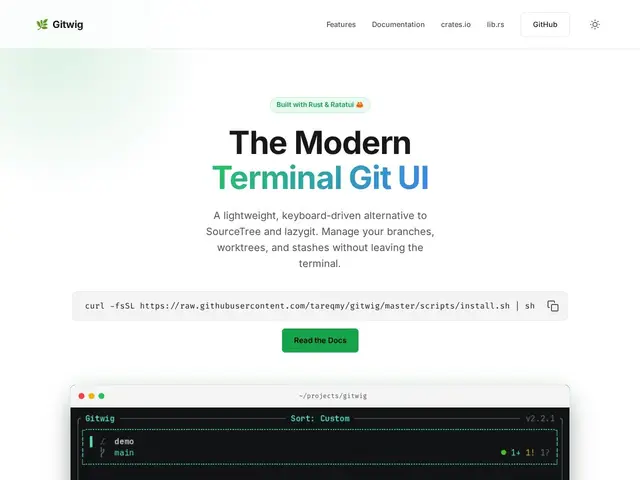
Description
Git GUIs like SourceTree are visual and approachable but slow to launch and heavy for a quick check; the plain git CLI is fast but means memorizing commands and losing visual context. Gitwig sits in between: a terminal interface that's still fully visual and mouse-friendly, but starts instantly and stays in your existing terminal workflow.
Gitwig is a Rust-based Git TUI with keyboard-driven navigation (plus mouse support if you prefer it), built for speed on large repositories. It includes multithreaded offline code search across your repo, an activity dashboard with a 52-week contribution heatmap, and full support for branches, worktrees and stash management, with live background status updates so the view stays current without manual refreshing. It's distributed via crates.io and GitHub, free with no disclosed pricing page, and positioned specifically against SourceTree and lazygit as a modern middle ground between heavy GUI apps and bare command-line Git.
💬 Our review
The short version: if you live in the terminal already and find lazygit's interface a bit rough or SourceTree too heavy to launch for quick checks, Gitwig's combination of Rust-speed and a genuinely visual, keyboard-first TUI is worth trying since it's free.
lazygit is the closest direct comparison — both are terminal-based, keyboard-driven Git TUIs — and the real differentiators to evaluate are the built-in offline code search and the activity heatmap, which lazygit doesn't offer out of the box. Against SourceTree or other full GUI clients, Gitwig trades some visual polish and onboarding friendliness for near-instant startup and staying inside your terminal session. As a relatively new project (built in Rust, copyright 2026), it's worth checking recent commit activity and issue responsiveness before making it your daily driver for anything mission-critical, but for personal or small-team use the downside of trying it is low since it's free.
💰 Pricing
📊 Global score
🤖 AI-enriched data
Aucune page de tarification, outil apparemment gratuit et open-source
Pros
Démarrage quasi instantané, écrit en Rust pour la performance
Recherche de code offline multithread intégrée
Tableau de bord d'activité avec heatmap 52 semaines
Gestion complète branches/worktrees/stash avec mises à jour live
Cons
Aucune page de tarification, modèle économique flou
Projet récent (copyright 2026), moins éprouvé que lazygit
Moins de polish visuel qu'un client GUI complet comme SourceTree
Peu de recul communautaire pour l'instant