ShellMate
An SSH client that organizes all the servers you connect to into searchable groups, and lets a whole team share host access safely without passing around raw passwords.
🔗 Visit ShellMate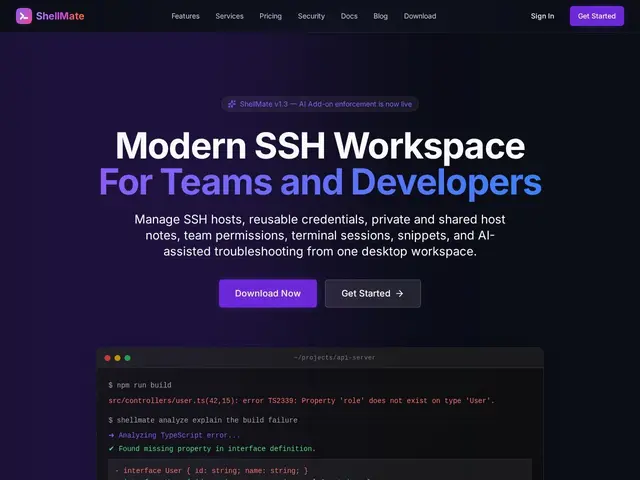
Description
Anyone managing more than a handful of servers over SSH knows the pain of a flat list of hostnames with no organization, plus the awkward problem of sharing access safely when a team needs to reach the same machines. ShellMate is built to solve both: a client for organizing your hosts properly, and a way to share that access with teammates without handing out raw credentials.
ShellMate is a cross-platform (Windows, macOS, Linux) SSH client with hosts organized into searchable environments and groups, native split terminals and tabbed workspaces, and multiple authentication methods including SSH agents, local keys, server-encrypted credentials and short-lived certificates. For teams, it adds role-based permissions, group host catalogs, session-start permission gates, trusted-device verification, jump-host support, reusable workspace templates, and a visible, revocable audit history of who accessed what. Individual local use is free; team plans exist with the features above, but ShellMate doesn't publish specific costs — the pricing page describes tiers without dollar amounts.
💬 Our review
The short version: if your team shares SSH access to a growing list of servers and you're currently doing it with shared keys or a spreadsheet of credentials, ShellMate's permission gates, audit history and short-lived certificates are a real security upgrade over that status quo.
It sits alongside Termius (well-established, cross-platform, similar organization features) and enterprise-grade options like Teleport, which goes further into zero-trust access proxying but with more setup complexity. ShellMate's differentiator for teams is combining a genuinely pleasant client UI (split terminals, tabs) with team-oriented security features like revocable sessions and trusted-device checks, without requiring a full Teleport-style infrastructure deployment. The real gap is pricing opacity — with no dollar figures published for team plans, you can't budget for it without contacting them, which is a rough edge for a tool trying to win over teams evaluating alternatives on cost. Good fit for small-to-mid dev/ops teams wanting better SSH hygiene without enterprise complexity; consider Teleport instead if you need full zero-trust infrastructure access control.
💰 Pricing
📊 Global score
🤖 AI-enriched data
Gratuit pour usage individuel local ; plans équipe avec permissions par rôle, coûts précis non publiés
Pros
Organisation des hôtes en environnements et groupes recherchables
Terminaux fractionnés natifs et espaces de travail par onglets
Permissions par rôle, historique d'audit visible et révocable pour les équipes
Plusieurs méthodes d'authentification dont certificats à courte durée de vie
Cons
Aucun tarif précis publié pour les plans équipe
Moins complet qu'une solution zero-trust type Teleport pour la sécurité infra
Marché avec un concurrent établi (Termius) à dépasser
Peu de recul utilisateur, produit encore jeune