Notate
A free, open-source screen annotation tool built for pointing things out — frozen UI states, gesture-based markup, and exports agents can read too.
🔗 Visit Notate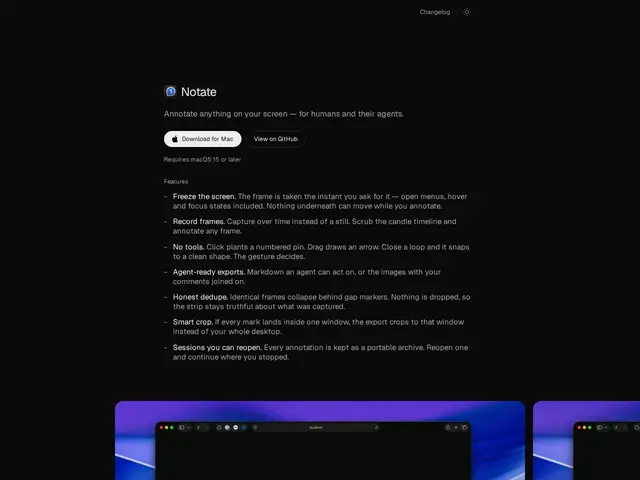
Description
Explaining a bug or a design issue over text is slow and often ends in "can you screen-share instead." Notate is built for the alternative: freeze exactly what's on your screen — including menus, hover states, or animations that normally vanish the moment you look away — draw directly on it, and share the result so the other person, or an AI coding agent, sees precisely what you meant.
It captures frozen frames or short recordings with timeline scrubbing, supports gesture-based annotation (pins, arrows, shapes), deduplicates repeated frames, and exports in an agent-readable markdown format alongside the visual — useful for code review or handoffs where an AI assistant needs to understand what a screenshot is pointing at. It's open source (Apache 2.0), distributed as a free macOS DMG via GitHub Releases, with no paid tier.
💬 Our review
The short version: Notate solves a specific, real annoyance — hover states and open menus disappearing the instant you try to screenshot them — and doing it for free, open source, makes it a low-risk addition to a developer's toolkit.
Against CleanShot X or Skitch, both paid, polished screenshot-annotation tools with wider adoption, Notate's edge is being free and specifically built to keep transient UI states alive long enough to annotate, plus an agent-readable export format that's genuinely novel for AI-assisted workflows. It's less mature and less feature-rich than CleanShot X's broader capture/editing suite, and being macOS-only limits its reach. A good pick for developers documenting UI bugs or handing off design feedback to an AI agent; those who need cross-platform support or a fuller editing suite should stick with an established paid tool.
📊 Global score
🤖 AI-enriched data
Application entièrement gratuite, distribuée en DMG via GitHub Releases, aucune offre payante.
Pros
Gèle les états d'interface éphémères (menus, hover) avant annotation
Gratuit et open source (Apache 2.0)
Export markdown lisible par un agent IA
Annotation gestuelle rapide
Cons
macOS uniquement
Moins riche en fonctions que CleanShot X
Produit jeune, écosystème plus restreint