FindDiskKiller
A free, open-source menu bar app that shows exactly which processes are hammering your Mac's disk, in real time.
🔗 Visit FindDiskKiller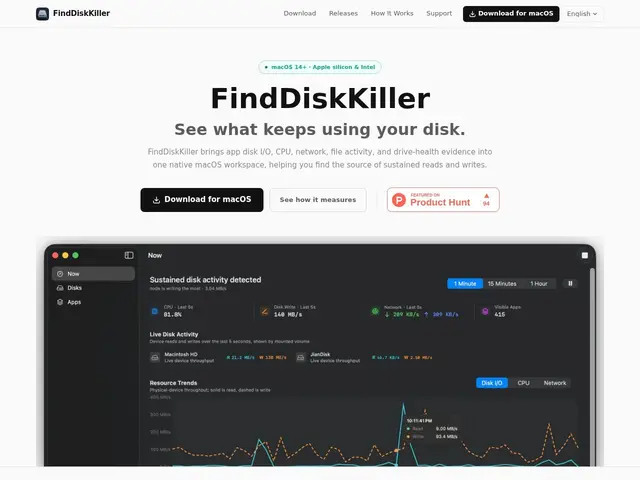
Description
When a Mac suddenly slows to a crawl, the built-in Activity Monitor tells you something is using the disk — but rarely which specific file, folder, or background process is actually responsible, or whether your drive itself is starting to fail. FindDiskKiller digs deeper: a lightweight menu bar app that tracks exactly which apps — including AI coding agents that quietly index or write to disk in the background — are driving reads and writes, down to the specific files being touched.
It's a native SwiftUI app that runs entirely locally, with no telemetry or cloud upload, covering CPU, disk I/O and network activity per process, time-range charts from 1 minute to 30 days, on-demand file/folder tracing, and SMART/NVMe drive health monitoring. It's open source under the MIT license, fully free, with no pricing tiers or paid version.
💬 Our review
The short version: FindDiskKiller is a genuinely useful diagnostic tool for a real, common annoyance — mysterious Mac slowdowns — and being free, open-source, and fully local makes it an easy install with zero downside.
Against macOS's built-in Activity Monitor, its edge is depth: per-file tracing and drive health monitoring that Apple's tool doesn't surface as clearly. Against paid tools like iStat Menus, which cover broader system stats (temperature, battery, network history) with a more polished dashboard, FindDiskKiller is narrower but sharper specifically on disk activity, and it costs nothing. There's no roadmap risk of a sudden paywall since it's open source — worst case, someone forks it. Worth installing for any developer or power user who's ever wondered why their fans spun up for no clear reason; overkill if you've never had a disk-performance problem.
📊 Global score
🤖 AI-enriched data
Application entièrement gratuite, aucune offre payante, code source ouvert sous licence MIT.
Pros
100% local, zéro télémétrie
Gratuit et open source (MIT)
Traçage fichier par fichier des accès disque
Suivi de santé SMART/NVMe du disque
Cons
macOS uniquement
Pas d'historique synchronisé entre machines
Public technique/niche (peu utile aux non-développeurs)