OpenClaw
OpenClaw is an open-source personal AI assistant that lives on your own devices instead of a company's servers, and can text you back on WhatsApp, Telegram, Slack or 20+ other apps you already use.
🔗 Visit OpenClaw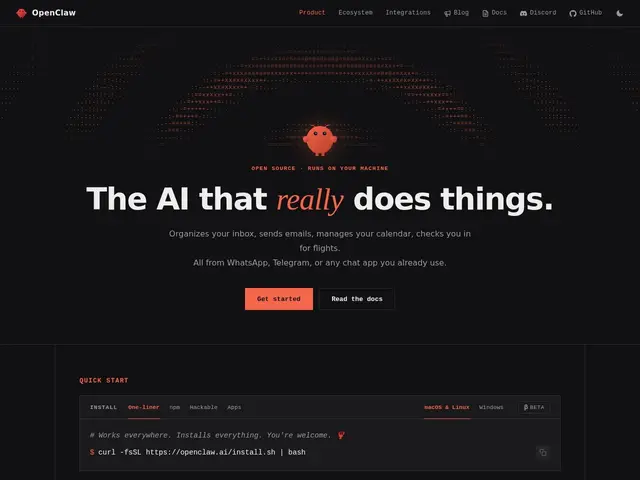
Description
Most AI assistants run entirely on someone else's cloud, which means your conversations, files and habits flow through a company's infrastructure whether you like it or not. OpenClaw flips that: it's an open-source personal AI assistant you run yourself, on your own Mac, Linux, Windows, iOS or Android device, that connects to the messaging apps you already use — WhatsApp, Telegram, Slack, Discord, Signal, iMessage, Teams and more — instead of requiring a new app.
It supports browser automation, file system access, voice wake with a push-to-talk overlay (via ElevenLabs), a 'Live Canvas' agent-driven workspace, persistent memory across conversations, and a plugin architecture for extensibility. It uses a bring-your-own-model approach — you supply your own API keys for Claude, GPT, Gemini, xAI or OpenRouter, with automatic failover across providers. Installation is free via npm or a one-line installer; there's no published pricing page, and it's maintained as open-source by a non-profit foundation.
💬 Our review
The short version: if you want a genuinely personal AI assistant that lives on your own hardware and talks to you through apps you already use, rather than yet another chat window, OpenClaw is one of the more ambitious open-source attempts at this — with the technical setup that implies.
Against ChatGPT or Claude's own apps (polished, zero setup, but cloud-hosted and single-channel) or building your own bot directly with the Claude/OpenAI API (full control but you build everything from scratch), OpenClaw's edge is out-of-the-box multi-channel messaging integration plus local execution, without you writing the plumbing yourself. The catch is that you still need to supply and pay for your own model API usage, there's no official pricing/support structure, and self-hosting a persistent assistant with system/file access is a real security responsibility to take seriously. Worth it for technically confident users who want a self-hosted, multi-channel AI assistant; not for anyone who just wants to open an app and chat.
💰 Pricing
📊 Global score
🤖 AI-enriched data
Installation gratuite (npm) ; l'utilisateur paie sa propre consommation d'API IA (Claude, GPT, Gemini…)
Pros
Auto-hébergé — données et exécution restent sur vos appareils
Connecté à 20+ apps de messagerie déjà utilisées (WhatsApp, Telegram, Slack…)
Mémoire persistante, architecture de plugins extensible
Support de plusieurs fournisseurs de modèles IA avec failover
Cons
Aucune tarification ni support officiel publié
Nécessite de fournir et payer ses propres clés API IA
Accès système/fichiers à gérer avec prudence (sécurité)