Browser Use
Browser Use gives AI agents a real browser to click around in — instead of scraping brittle APIs, it lets an AI fill out forms, extract data or test your site the way a human would, and it's ranked #1 on a leaderboard of 200+ long-horizon browser tasks.
🔗 Visit Browser Use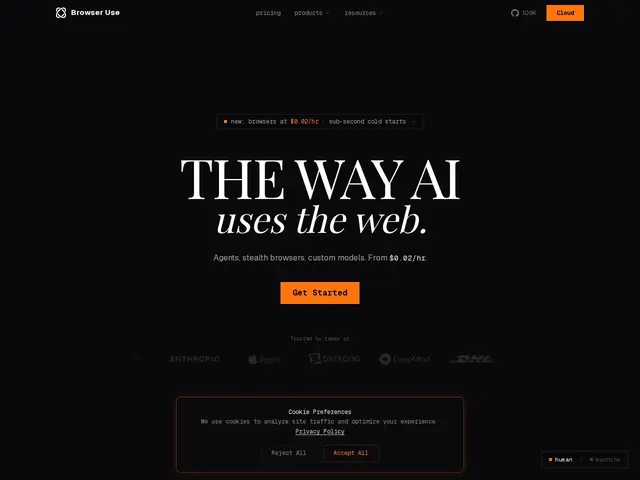
Description
Getting an AI to reliably interact with real websites — clicking buttons, filling forms, reading dynamic content — is much harder than it sounds, and most automation tools either need brittle custom scripts per site or don't handle modern JavaScript-heavy pages well. Browser Use is an open-source library, built on the Playwright browser framework, that lets AI agents control a real browser using natural-language instructions instead of hand-written selectors.
It handles form automation, data extraction/scraping, and QA testing, with stealth browsers, anti-detection, CAPTCHA solving, and a residential proxy network spanning 195+ countries for production-scale use. It's ranked #1 on the Odysseys leaderboard with 87.4% success on 200+ long-horizon browser tasks, and supports Claude, GPT, Gemini and custom models. The self-hosted library is free and open-source (106.9k GitHub stars); the managed cloud platform runs a free tier (3 concurrent sessions) up to Dev at $29/month, Business at $299/month and Scaleup at $999/month, plus usage-based session/proxy/LLM costs.
💬 Our review
The short version: if you need AI agents to reliably operate real websites at scale — not just scrape static pages — Browser Use is one of the most capable open-source options available, backed by genuinely strong benchmark results.
Against Selenium or Puppeteer (mature, scriptable, but need you to write the automation logic yourself) or Anthropic's Computer Use (general-purpose but not specialized for production browser-agent workloads), Browser Use's edge is that natural-language-driven automation plus stealth/proxy infrastructure is built in. The self-hosted library is genuinely free, but production use at scale adds up fast between the Business/Scaleup tiers and the per-session/proxy/LLM usage costs — budget carefully if you're running this continuously. Worth it for teams building serious web automation or scraping products; overkill for a one-off script you could write directly in Playwright.
💰 Pricing
📊 Global score
🤖 AI-enriched data
Gratuit (bibliothèque open-source, 3 sessions simultanées en cloud), Dev 29$/mois, Business 299$/mois, Scaleup 999$/mois, Enterprise sur devis + coûts à l'usage (sessions, proxy, LLM)
Pros
Classé #1 sur le leaderboard Odysseys (87.4% sur 200+ tâches longues)
Bibliothèque open-source gratuite (106.9k étoiles GitHub)
Navigateurs furtifs, anti-détection, résolution de CAPTCHA
Réseau de proxy résidentiel dans 195+ pays
Cons
Coûts à l'usage qui s'accumulent vite en production (session, proxy, LLM)
Paliers payants coûteux pour un usage intensif (jusqu'à 999$/mois)
Complexité superflue pour un script d'automatisation ponctuel