home-maker
Instead of remembering 'was that npm, apt, or cargo?' every time you set up a new machine, you write down every tool you want once in a simple file, and one command installs (or reinstalls) all of it.
🔗 Visit home-maker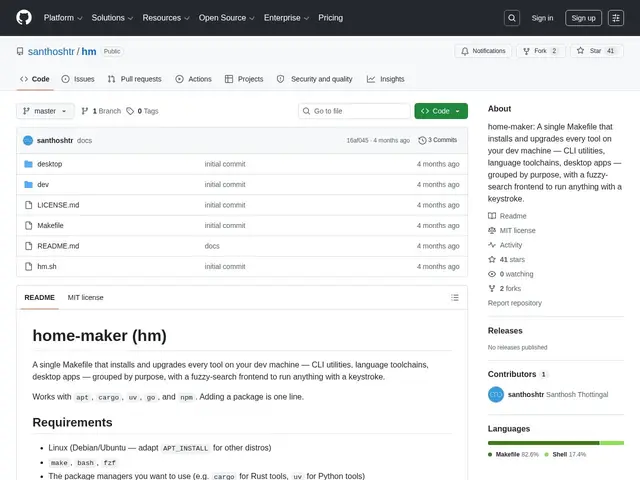
Description
Setting up a new development machine usually means retracing your steps from memory: which package manager did I use for that CLI tool, which version, was there a special install script? home-maker's answer is to make that list explicit and reusable — write your tools into a Makefile once, and reinstalling your whole toolkit on a new machine becomes a single command instead of an afternoon of guesswork.
home-maker is a small, MIT-licensed, open-source tool built around Make and Bash that wraps multiple package managers (apt, cargo, uv, go, npm) behind one declarative interface, adds an interactive fuzzy-search installer via fzf, supports version pinning, and lets you write custom install scripts for tools that don't fit a standard package manager. Tools can be grouped by purpose (cli, dev, etc.), and targets are discovered live from the Makefile itself. It's aimed at Linux/Debian-based developers who want their machine setup to be reproducible and documented rather than something that lives only in their head.
💬 Our review
The short version: if you've ever rebuilt a dev machine and spent half a day remembering which fifteen CLI tools you actually use and how you installed each one, home-maker's Makefile-as-inventory approach is a lightweight, no-nonsense fix — as long as you're on Linux and comfortable editing a Makefile.
It's not trying to compete with full configuration-management tools like Ansible or dotfiles frameworks that manage your entire environment; it's scoped specifically to package installation across multiple package managers, which is exactly the part that's most annoying to reconstruct from memory. Being free, open-source, and just a thin wrapper over tools you already trust (apt, cargo, npm) means there's essentially no risk in trying it, but it's also a small personal project without the polish or community of a mature dotfiles framework — expect to read the source if something breaks. Worth adopting if you rebuild or provision Linux dev machines more than once a year; overkill if you set up a machine once and never touch it again.
💰 Pricing
📊 Global score
🤖 AI-enriched data
Licence MIT, gratuit
Pros
Unifie apt, cargo, uv, go, npm derrière une interface déclarative unique
Installateur interactif en recherche floue (fzf)
Épinglage de versions et scripts d'install personnalisés
Gratuit, open-source, licence MIT
Cons
Limité à Linux/Debian, pas pensé pour macOS/Windows
Petit projet perso, pas de communauté large
Ne gère que l'installation d'outils, pas la config complète de l'environnement
Documentation minimale, nécessite de lire le code source