AIOffice
A little pixel-art office on your screen where each AI coding assistant you're running gets its own desk, so instead of juggling four terminal tabs you just walk around and check on your employees.
🔗 Visit AIOffice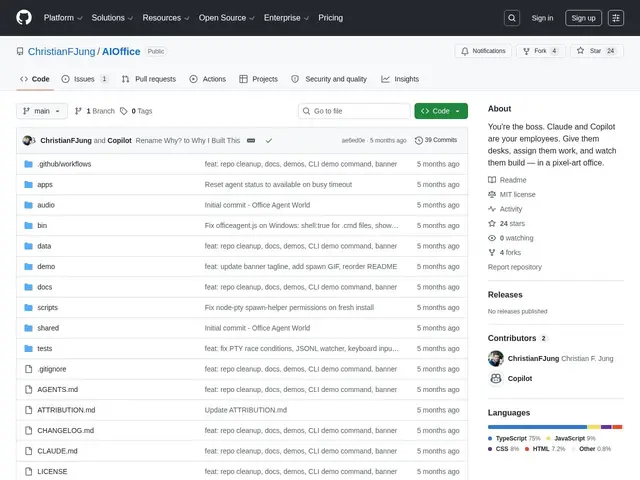
Description
If you've ever run more than two or three AI coding agents at once, you know the problem: a wall of terminal tabs, no idea which one is stuck, and no easy way to tell them apart at a glance. AIOffice takes that literally — it renders your AI agents as pixel-art employees sitting at desks in a virtual office, and you play the boss walking around assigning tasks and checking who's working, idle, or stuck.
Under the hood, each agent is a real CLI process (Claude Code, GitHub Copilot, etc.) running in a PTY on your own machine; a local server watches its JSONL output and bridges messages over WebSocket to a Phaser-rendered pixel-art frontend. It's a Node.js/TypeScript project (MIT licensed, free, 24 GitHub stars at last check) that runs entirely locally with no remote dependencies — install via git clone plus npm, then run a CLI command to spawn agents into the office. It's a genuinely small, playful open-source project rather than a polished commercial product.
💬 Our review
The short version: if terminal-tab sprawl from running multiple AI coding agents is a real daily annoyance for you, AIOffice's pixel-office metaphor is a fun, free way to get spatial at-a-glance status — just don't expect enterprise polish from a 24-star hobby project.
There's no real competitor doing exactly this; the closest comparisons are plain terminal multiplexers (tmux, iTerm tabs) or more serious "agent management" dashboards that are strictly functional and not visual. AIOffice's value is purely in reducing the cognitive load of tracking several agents at once through a fun visual layer, not in adding any actual agent capability — it's a UI on top of tools you already run. Being MIT-licensed and fully local means zero cost and no privacy concern, but also means you're relying on a small side project maintained by one developer, so treat it as a nice-to-have rather than critical infrastructure. Skip it if you're happy with tmux; try it if you find yourself losing track of which terminal tab is doing what.
💰 Pricing
📊 Global score
🤖 AI-enriched data
Licence MIT, gratuit, aucun coût caché
Pros
Métaphore visuelle claire pour suivre plusieurs agents IA d'un coup d'œil
100% local, aucune dépendance distante
Gratuit, open-source, licence MIT
Fonctionne avec de vrais process CLI (Claude Code, Copilot)
Cons
Petit projet perso (24 stars), pas de garantie de maintenance
Ajoute une couche visuelle sans nouvelle capacité d'agent
Pas de version packagée/installateur simple, passe par git clone
Écosystème et documentation limités