apfel
Your Mac already has a free AI model built in for Apple Intelligence features — apfel is a small command-line tool that lets you actually talk to that model directly, like you would with ChatGPT, without paying for another AI subscription.
🔗 Visit apfel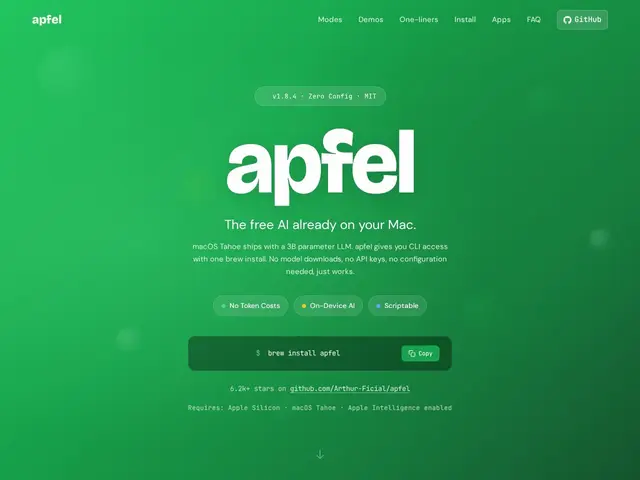
Description
Since Apple Intelligence shipped, every recent Mac has had a language model quietly running on-device for things like writing suggestions and notification summaries — but Apple never gave developers an easy, direct way to just chat with it or pipe text through it like you would with any other AI tool. apfel closes that gap: install it, and you get a command-line chat interface plus a local server that mimics OpenAI's API, both talking to the AI model that's already on your machine.
apfel is a macOS command-line tool (Swift, requiring Apple Silicon and macOS Tahoe 26+) that wraps Apple's Foundation Models framework — roughly a 3-billion-parameter, mixed 2-4 bit quantized model running on the Neural Engine. It supports UNIX-style piping, an OpenAI-compatible server on localhost:11434, multi-turn chat with context, structured JSON output, and Model Context Protocol (MCP) tool calling, all processed 100% locally with zero network calls. It's free, MIT-licensed, and installable via Homebrew. Limitations are real: context is capped at 4096-8192 tokens depending on macOS version, there's no native vision or embeddings support, and the model has no built-in sense of the current date.
💬 Our review
The short version: if you're on a recent Apple Silicon Mac and just want a free, fully local, OpenAI-API-compatible model to script against or chat with — no API key, no subscription, no internet required — apfel is a clever and genuinely useful shim over something Apple already gave you for free.
Compared to running a local model via Ollama or LM Studio, apfel's edge is that it needs zero downloads or setup — the model is already on your Mac for Apple Intelligence. The tradeoff is capability: at ~3B parameters with an 8K token context ceiling and no vision or embeddings, it's meaningfully weaker than what you'd get from a larger local model via Ollama, let alone a cloud model like Claude or GPT. It's best suited for lightweight scripting tasks, quick local chat, or MCP tool-calling experiments where cost and privacy matter more than raw capability — not for anything requiring long context or vision. Given it costs nothing and requires no setup beyond `brew install apfel`, there's essentially no reason not to try it if you meet the hardware requirements.
💰 Pricing
📊 Global score
🤖 AI-enriched data
Licence MIT, gratuit, installation via Homebrew
Pros
Gratuit, aucun abonnement, aucun compte requis
100% local, zéro appel réseau
Serveur compatible API OpenAI, s'intègre à des outils existants
Support du Model Context Protocol (MCP) pour tool calling
Cons
Modèle limité (~3B paramètres), contexte plafonné à 4096-8192 tokens
Aucun support vision ou embeddings natif
Nécessite macOS Tahoe (26+) et Apple Silicon, exclut les Mac Intel
Pas de notion native de la date système