ADE (Agentic Development Environment)
An app that runs several different AI coding assistants at once, each working on its own isolated copy of your project, so you can check on Claude Code from your laptop, glance at progress from your phone, and merge whichever one finished first.
🔗 Visit ADE (Agentic Development Environment)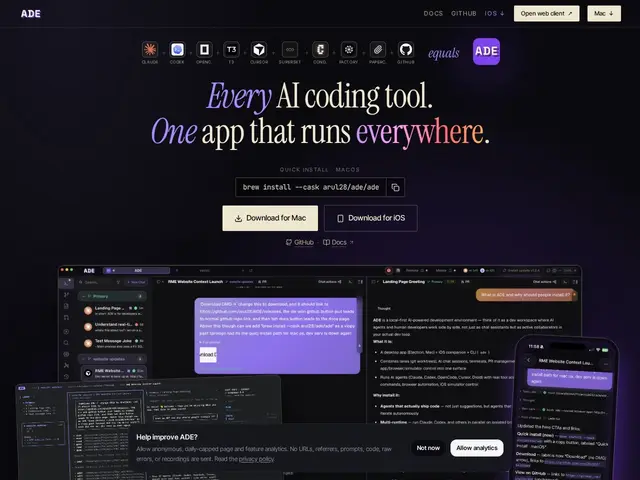
Description
Developers increasingly use more than one AI coding assistant — maybe Claude Code for one task, Cursor for another — but juggling them means separate windows, separate terminals, and no easy way to see what each one is actually doing at a glance. ADE works like a control room with several screens, one per assistant, each watching its own isolated workspace, so you can run multiple AI coding agents on different parts of a project in parallel and check in on any of them from your laptop, an iPhone, or a terminal, with everything staying in sync.
Technically, ADE orchestrates multiple AI coding agents (Claude Code, Codex, Cursor, Factory Droid, OpenCode) simultaneously using isolated Git worktrees per "lane," so concurrent agents don't step on each other's changes. It syncs state in real time across macOS, iOS (via TestFlight), and terminal, includes a built-in browser and file editor, consolidated GitHub PR management with diffs and CI status, and a "CTO" feature meant to hold project-level memory and oversight across sessions. It's free and open source, local-first, with a backend machine handling the sync.
💬 Our review
The short version: if you're already running two or three different AI coding agents on the same project and losing track of what each is doing, ADE's parallel-lanes-with-git-worktrees approach solves a real coordination problem, for free.
Against just running Cursor or Claude Code alone, ADE isn't a competing agent — it's a meta-layer that sits on top of the ones you already use, so the honest comparison is really "do I need to run multiple agents in parallel at all," not which single tool is better. Against VS Code with agent extensions bolted on, ADE's advantage is that multi-agent orchestration and worktree isolation are core design, not an add-on, plus native mobile sync that VS Code doesn't offer. The catch is it's still early (macOS + iOS TestFlight, not a stable general release) and only pays off if your workflow genuinely benefits from running several agents concurrently — for a single-agent, single-machine workflow it adds complexity without a clear win.
📊 Global score
🤖 AI-enriched data
Gratuit et open source. Disponible pour macOS 13+ et iOS via TestFlight. Les agents orchestrés (Claude Code, Cursor, Codex...) gardent leurs propres coûts d'abonnement.
Pros
Gratuit et open source
Orchestration multi-agents avec worktrees Git isolés
Synchronisation temps réel macOS/iOS/terminal
Gestion de PR GitHub intégrée
Cons
Encore précoce (iOS via TestFlight)
Utile seulement en usage multi-agents parallèle
Ajoute une couche de coordination à apprendre
Coûts des agents orchestrés restent séparés