CrispVoice
A free, offline tool that cleans up podcast and voice recordings — removing noise and improving clarity — entirely on your own computer, with nothing ever uploaded.
🔗 Visit CrispVoice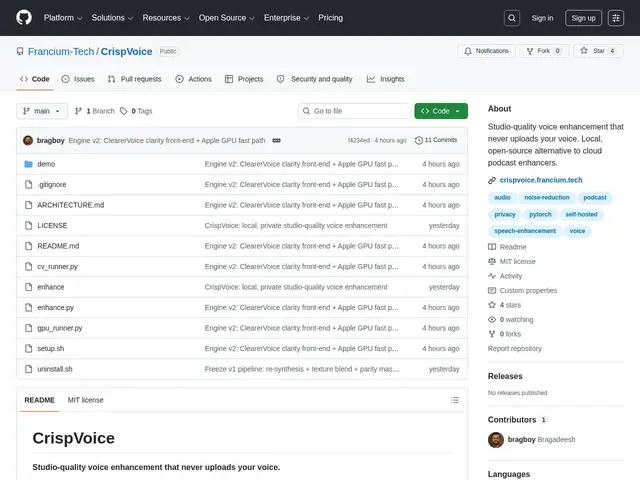
Description
Cloud-based voice-cleanup tools are convenient, but they require uploading your raw recordings to someone else's servers, which isn't ideal if you're recording sensitive conversations or simply don't want your unpublished audio leaving your machine. CrispVoice does the same kind of noise removal and voice enhancement, but the entire process runs locally on your computer — nothing is ever sent anywhere.
It's a free, open-source (MIT) desktop tool built on a 4-stage PyTorch pipeline: voice clarity pre-processing (MossFormer2), high-fidelity generative resynthesis (Resemble Enhance), natural texture blending, and full broadcast-style mastering with EQ and compression. It supports MP3, WAV, and M4A formats, requires about 9 GB of disk space for a full install, and sends zero network telemetry.
💬 Our review
The short version: for podcasters and audio creators who care about privacy or just don't want to pay a subscription, CrispVoice's fully local, free processing does a comparable job to cloud tools — you just need patience and disk space.
Against cleanvoice.ai and Adobe Podcast Enhance, both cloud services with per-minute or subscription pricing, CrispVoice's zero-upload, zero-cost model is the clear draw for privacy-conscious creators, and its 4-stage pipeline (denoising, generative resynthesis, texture blending, mastering) is genuinely sophisticated for a free tool. The cost is real, though: about 5 minutes of processing for 8 minutes of audio even on Apple Silicon with GPU acceleration, plus roughly 9 GB of disk space for the full install — noticeably slower than uploading to a cloud service, and its ecosystem lacks the extra features (transcription, multi-track mixing) that Descript bundles in.
📊 Global score
🤖 AI-enriched data
Gratuit, code source MIT, aucun frais. Nécessite ~9 Go d'espace disque.
Pros
Traitement 100% local
Architecture 4 étages
Open source MIT
Installation autonome sans dépendances
Support multi-format audio
Cons
Processus gourmand en ressources
Exige ~9 Go d'espace disque
Écosystème limité vs alternatives cloud