SQLiteWatch
A free tool that watches what your app is doing to its SQLite database and flags slow or inefficient queries, without touching your code.
🔗 Visit SQLiteWatch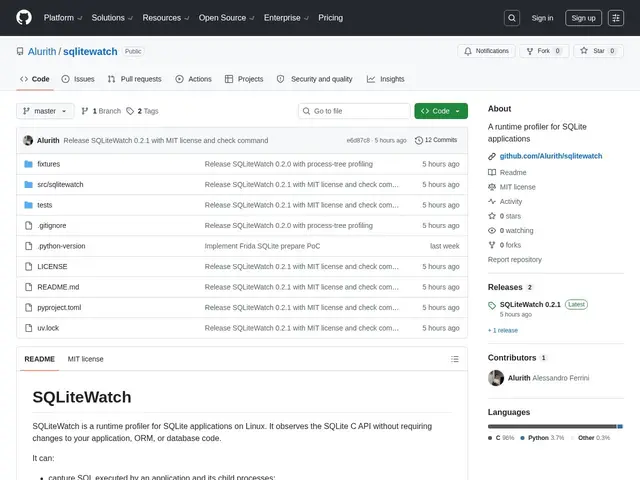
Description
Finding out why an app using SQLite feels slow usually means adding logging statements throughout the code, which is tedious and easy to forget to remove. SQLiteWatch instead watches the database calls from outside your application entirely — no code changes, no ORM hooks, no ceremony — and tells you which queries are scanning too much data, sorting inefficiently, or missing an index.
It's a free, open-source (MIT) runtime profiler for SQLite on Linux, intercepting SQLite's C-level calls to capture and analyze queries without modifying application code or the ORM. It aggregates equivalent queries, flags full table scans and inefficient sorts, natively supports workers, subprocesses, and development autoreloaders, and produces both terminal and JSON reports for CI/CD integration. It's installable via uv tool and requires Python 3.11-3.13.
💬 Our review
The short version: if you're debugging SQLite performance and dreading adding print statements everywhere, SQLiteWatch's zero-code-change approach is free and saves real debugging time.
There isn't a direct one-to-one competitor doing exactly this kind of non-intrusive interception — SQLite Studio and sqlite-utils are closer to general database management and querying tools, not runtime profilers watching live application traffic. That makes SQLiteWatch a genuinely different, more specialized tool: less useful if you just need to browse a database, much more useful if you're chasing a specific performance regression. The real constraints are platform limits — Linux x86_64 only, Python 3.11-3.13 only, and CLI-only with no GUI — so it fits a specific developer workflow rather than being a general-purpose database tool.
📊 Global score
🤖 AI-enriched data
Logiciel open source sous licence MIT, sans frais.
Pros
Profiling sans modification du code
Capture automatique des requêtes
Détection full scans et sorts inefficaces
Support workers/subprocesses
Rapports terminal et JSON pour CI/CD
Cons
Support Linux x86_64 uniquement
Compatibilité restreinte Python 3.11-3.13
Pas d'interface graphique