Forkbench
A native macOS terminal app for running several AI coding agents at once, each in its own workspace, without them stepping on each other's work.
🔗 Visit Forkbench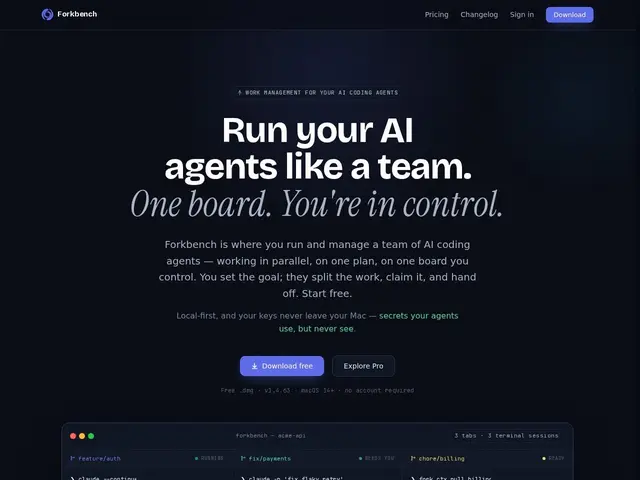
Description
If you run more than one AI coding agent (Claude Code, Aider, Codex) on the same project, they can end up duplicating work or overwriting each other because none of them know what the others are doing. Forkbench is a terminal workspace manager built for exactly this: it keeps a shared backlog so agents claim tasks instead of colliding, and gives you one place to see and control everything they're doing.
It's a native macOS app (macOS 14+) offering isolated workspaces, a visual git panel, and secure credential handling through a zero-read vault with Touch ID support (credentials are never exposed in logs). The free tier covers the full terminal, isolated workspaces, private notebooks, a local vault, and simple agent coordination; a paid Pro tier (14-day free trial) adds multi-Mac sync, web control, and alerts, with Team pricing per seat. It integrates with Claude Code via .claude/settings.json hooks.
💬 Our review
The short version: if you run multiple coding agents on macOS and have ever had two of them silently redo the same work, Forkbench's free tier alone is worth installing just for the shared, claim-based backlog.
There's no direct competitor doing agent-fleet coordination specifically — tmux, zellij, and other terminal multiplexers give you panes and sessions but no concept of "which agent already claimed this task," which is Forkbench's actual differentiator. The Pro tier's multi-Mac sync and web control are genuinely useful if you supervise agents from more than one machine, but they're not essential for a single-Mac setup, where the free tier already covers the core coordination problem. The obvious limitation is that it's macOS-only, so Windows and Linux users are locked out entirely, and you'll still need your own subscriptions to whatever AI agents you're coordinating.
📊 Global score
🤖 AI-enriched data
Gratuit (terminal complet, workspaces isolés, notebooks privés, vault local). Pro payant (essai 14 jours) avec sync multi-Mac, contrôle web, alertes. Team au même tarif par utilisateur.
Pros
Coordination sans duplication de travail
Gestion sécurisée des credentials (Touch ID)
Terminal natif macOS optimisé agents
Sync multi-Mac et notebooks persistants
Intégration profonde Claude Code
Cons
macOS uniquement
Nécessite des abonnements IA externes
Tiers Pro/Team ajoutent un coût non essentiel en usage mono-Mac