Visily
An AI-powered UI design software that helps non-designers quickly create wireframes and prototypes from text prompts, screenshots, or diagrams.
🔗 Visit Visily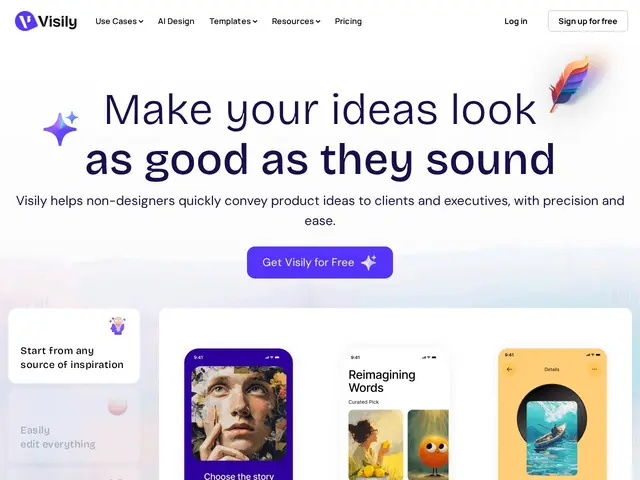
Description
Visily is built for the person who has a clear idea of what an app screen should look like but has never used design software — you can describe it in words, upload a screenshot of something similar, or even sketch a rough diagram, and Visily turns that into an editable wireframe you can then drag and drop into shape. It's closer to a starting point generator than a full design tool: fast to get something on screen, then you refine it yourself.
Visily generates wireframes and interactive prototypes from text prompts, screenshots, or diagrams, then offers a drag-and-drop editor for customization on top of the AI output. Real-time collaboration includes commenting and live cursor chat for teams working on the same board, and it ships with thousands of pre-built templates and components to speed up common screens (login, dashboard, settings, etc.). Output exports to Figma or code.
💬 Our review
The short version: Visily is the most template-heavy of the AI wireframing tools, which makes it a good fit if you want to assemble a screen from proven patterns rather than generate one from scratch each time.
Its closest competitors, Banani and Flowstep, both lean more into pure AI generation from prompts; Visily splits the difference with thousands of pre-built components plus AI generation from text, screenshots or diagrams — the screenshot-to-wireframe input in particular is a genuinely distinct feature (neither Banani nor Flowstep advertises that input type as clearly). Pricing is per-editor ($11/mo Pro, $29/mo Business) rather than flat, which is cheaper than Flowstep's Starter for a solo user but scales up faster for a team than Banani's flat per-account tiers. The free tier's 2-board cap is restrictive if you're testing more than a couple of ideas — expect to hit the wall quickly and need to decide whether to pay before you've fully evaluated it.
💰 Pricing
📊 Global score
🤖 AI-enriched data
Free (Starter): 300 AI credits/month, 2 editable boards, 2,500 elements/board. Pro: $11/editor/month (annual billing), 3,000 credits, unlimited boards. Business: $29/editor/month (annual billing), 10,000 credits, custom teams, SAML SSO. Enterprise: custom pricing.
Pros
Generates wireframes from text, screenshots, or diagrams — broader input options than most competitors
Thousands of pre-built templates and components speed up common screens
Real-time collaboration with commenting and cursor chat
Per-editor pricing ($11/mo Pro) is cheap for small teams
Export to Figma or code
Cons
Free tier limited to 2 editable boards, which fills up fast
300 monthly AI credits on free tier can run out quickly
Export features require a paid subscription
Enterprise pricing not published