Flowstep
AI-powered design assistant that generates production-ready UI designs in seconds from conversational prompts. Transforms visual descriptions into editable, shippable interface designs.
🔗 Visit Flowstep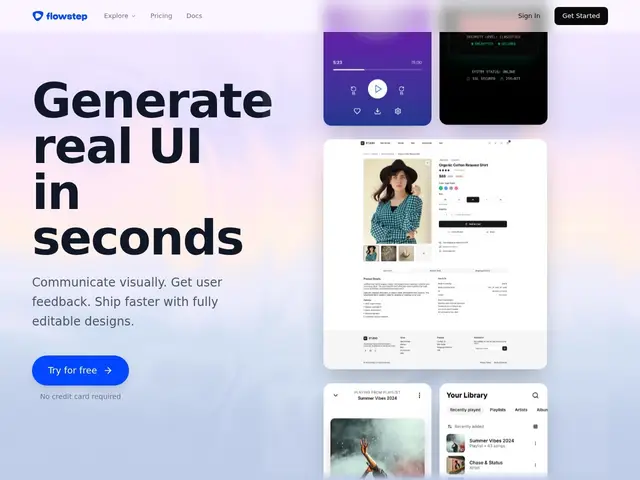
Description
Flowstep works like chatting with a designer: you describe the screen you want in plain sentences, and it hands back a real interface design a few seconds later — one you can keep editing by just asking for changes, the way you'd revise a document with a colleague. It's aimed at people who need a working design fast and don't want to learn a full design tool first.
Flowstep generates UI designs from conversational prompts, then lets users refine them with full manual editing on top of the AI output. It integrates directly with Figma for copy-paste handoff, supports reference material (PRDs, images, links) as design input, generates multi-screen flows rather than single static screens, allows real-time team collaboration, and — notably — exports clean, production-ready React, TypeScript and Tailwind CSS code rather than just a picture of a design.
💬 Our review
The short version: Flowstep's standout feature is the direct-to-code export — React/TypeScript/Tailwind, not just a Figma file — which matters if your end goal is a shipped product rather than a handoff document.
Against Banani and Visily, which both focus more on the design-and-export-to-Figma loop, Flowstep leans further toward developers: teams that want to go from prompt to working frontend code with less manual translation. The free tier is the most restrictive of the three (message-capped, single-screen only) — Banani's never-expiring 12 credits and Visily's 300 monthly credits both give more room to actually test the product before paying. At $15/month for the Starter tier, it's competitively priced once you're past evaluation, and the 'no personal data used to train AI models' stance is a reasonable trust signal that Banani and Visily don't call out as explicitly. If code export isn't the priority, Banani or Visily's more generous free tiers make more sense for early testing.
💰 Pricing
📊 Global score
🤖 AI-enriched data
Free plan (limited messages, single-screen, limited projects, no credit card required). Starter: $15/month (80 messages/month, unlimited multi-screen/projects/exports, unlimited Figma copy). Enterprise: custom pricing. Annual billing saves up to 20%.
Pros
Exports clean production-ready React/TypeScript/Tailwind CSS code, not just visuals
Direct Figma integration for copy-paste handoff
Multi-screen generation from conversational prompts
Real-time team collaboration
Does not use personal data to train AI models
Cons
Free plan is the most restricted of its direct competitors (message cap, single-screen only)
Message-based pricing can feel limiting for heavy iteration
Less third-party comparison material available than more established competitors