CtrlOps
A desktop app that lets you manage and deploy to your own Linux servers using plain-English AI commands instead of memorizing terminal syntax.
🔗 Visit CtrlOps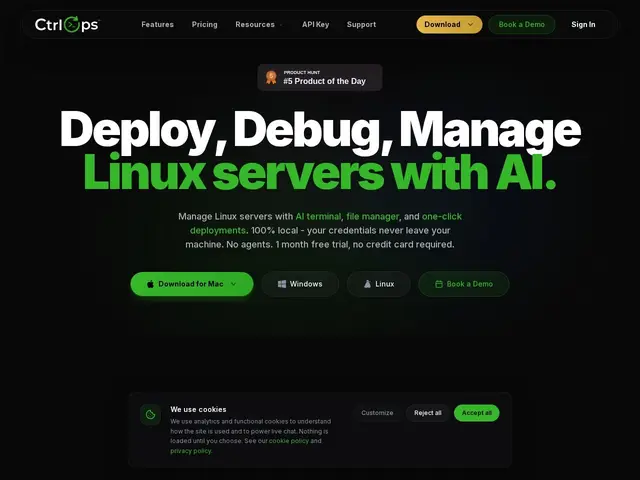
Description
Running your own server (instead of paying for a fully managed platform) is cheaper, but it usually means wrestling with a terminal, memorizing cryptic commands, and hoping you don't accidentally break something at 2am. CtrlOps is a desktop app that puts a friendly, AI-assisted control panel in front of your servers — you can type what you want in plain English, watch resource usage in real time, and deploy a GitHub project with one click, all without your login credentials ever leaving your own computer.
Built with Tauri and Rust, CtrlOps runs on macOS, Windows, and Linux and connects to any server reachable over SSH — AWS, DigitalOcean, GCP, Azure, or a bare-metal box. Its AI terminal generates shell commands from natural-language requests but requires explicit approval before running anything, real-time dashboards track CPU/memory/disk/network, and one-click deploys handle GitHub repo pulls plus automatic SSL provisioning. Credentials are AES-256 encrypted and stored locally — nothing is proxied through CtrlOps' own servers.
💬 Our review
The short version: if you already run your own Linux servers and just want a faster, less terrifying way to manage them without learning every flag of every CLI tool, CtrlOps is a genuinely useful $7/month upgrade over a bare terminal.
Compared to Webmin (free, but dated web UI and 20+ years of accumulated complexity) or Termius (a polished SSH client but no AI assistance or one-click deploys), CtrlOps sits in a comfortable middle ground: modern desktop UI, AI command generation with an approval gate so you're not letting a model run destructive commands unsupervised, and one-click GitHub deploys. At $7/month or a $149 lifetime deal, it's cheap relative to what a managed PaaS like Render or Railway would cost for the same servers — the tradeoff is you're still responsible for the underlying box. It won't replace a real PaaS for teams who want zero-ops, and it's desktop-only (no mobile app), but for solo developers and small agencies managing a handful of VPS instances, it's a sensible, low-risk way to lower the terminal's cognitive overhead.
📊 Global score
🤖 AI-enriched data
Essai gratuit 1 mois sans CB. Puis $7/mois ou $70/an par utilisateur. Option à vie : $149 one-time.
Pros
Architecture 100% locale, aucune donnée envoyée dans le cloud
Terminal IA avec validation avant exécution
Déploiement GitHub en un clic avec SSL automatique
Prix bas ($7/mois) avec essai généreux d'un mois
Cons
Pas d'application mobile (desktop uniquement)
Facturation par utilisateur peut coûter cher pour de grandes équipes
Plus jeune que des alternatives établies comme Webmin