Voicebox
A free, open-source desktop app that clones voices and turns text into natural-sounding speech, running entirely on your own computer with no subscription.
🔗 Visit Voicebox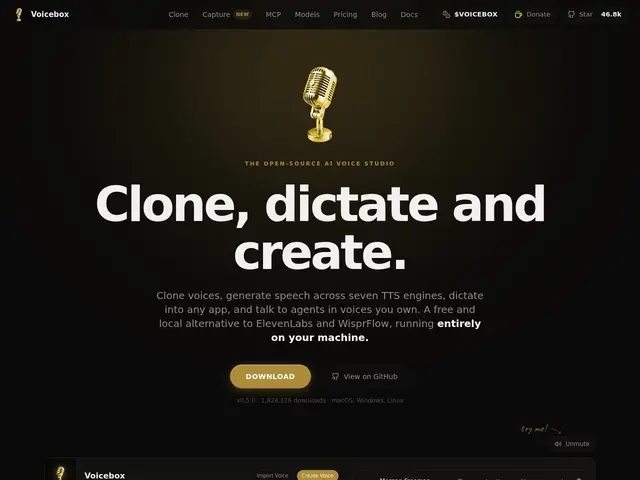
Description
AI voice tools like ElevenLabs have made voice cloning and text-to-speech impressively good, but usually mean uploading your voice samples to someone else's cloud and paying a monthly subscription for the privilege. Voicebox does the same kind of thing — clone a voice, generate speech, build multi-voice conversations — but runs the whole thing on your own machine, so nothing leaves your computer and there's no bill at the end of the month.
Voicebox is an open-source (MIT-licensed) desktop AI voice studio supporting multiple text-to-speech engines (Qwen3-TTS, LuxTTS, Chatterbox, Kokoro, and others), voice cloning from as little as 3 seconds of sample audio, a multi-voice timeline editor for building conversations or podcast-style content, audio effects (pitch shift, reverb, delay, compression, filters), and dictation via a global hotkey with Whisper-based speech-to-text. It runs cross-platform on Mac, Windows, and Linux with GPU acceleration support (MLX, CUDA, ROCm) for faster local inference, and has attracted over 46,000 GitHub stars.
💬 Our review
The short version: Voicebox packs genuinely premium voice-cloning capability into a free, local, open-source tool — the kind of thing that would otherwise cost a monthly ElevenLabs subscription and require uploading your voice to the cloud.
The breadth of engines bundled in (Qwen3-TTS, Chatterbox, Kokoro, and more) plus a real timeline editor for multi-voice content puts this well beyond a simple TTS demo — it's closer to a lightweight version of Descript's voice tools, minus the subscription. The 46,000+ GitHub stars suggest a genuinely active and trusted open-source project, not an abandoned side project. The honest tradeoff is that local inference needs real hardware: quality and speed depend on your GPU, and setup is inherently more hands-on than a hosted service where you just log in and go. Compared to ElevenLabs, Voicebox trades a bit of polish and guaranteed uptime for zero cost, full privacy, and no usage caps — a clear win for anyone with decent hardware who's willing to do local setup instead of paying monthly.
📊 Global score
🤖 AI-enriched data
100% gratuit, licence MIT, exécution locale, aucun abonnement.
Pros
Gratuit et open-source, aucun abonnement
Fonctionne 100% en local, confidentialité totale
Plusieurs moteurs TTS de qualité inclus (Qwen3-TTS, Chatterbox, Kokoro...)
Éditeur de timeline multi-voix pour créer des conversations ou du contenu podcast
Cons
Nécessite du matériel correct (GPU) pour de bonnes performances
Support communautaire plutôt qu'assistance entreprise
Courbe d'apprentissage pour les fonctionnalités audio avancées