PII Blackout
Desktop software that finds and permanently blacks out social security numbers, bank accounts, and other sensitive information in PDF documents, without uploading anything online.
🔗 Visit PII Blackout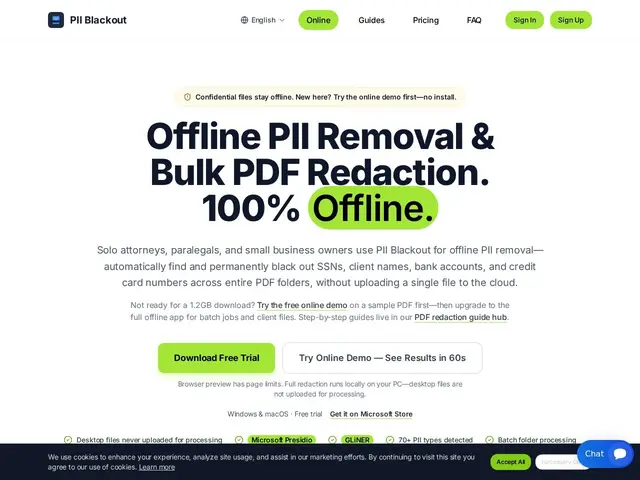
Description
A law firm or small business handling court filings, bank statements, or HR records often needs to hide sensitive details like social security numbers before sharing a document — doing that by hand, page by page, is slow and easy to get wrong. PII Blackout automates the search-and-black-out process on your own computer, scanning PDFs for over 70 types of sensitive data and letting you review each match before it's permanently redacted, without the file ever leaving your machine.
PII Blackout is desktop redaction software using a two-stage detection pipeline built on Microsoft Presidio and the GLiNER PII model, applying pixel-level (not just visual-overlay) redaction so removed data can't be recovered by copying text. It supports batch processing of entire folders, full OCR for scanned documents, and page-by-page TXT audit reports, running 100% offline after initial sign-in on Windows and macOS. The free tier allows up to 3 PDFs per day at 15 pages each; paid Personal and Team plans unlock higher volume, though specific pricing isn't published on the homepage.
💬 Our review
The short version: for a solo attorney or small firm that needs to redact discovery documents without trusting sensitive files to a cloud service, PII Blackout's offline, pixel-level redaction is exactly the right kind of tool.
The pixel-level redaction detail matters more than it sounds — many cheaper 'redaction' tools just draw a black box over text while leaving it copy-pasteable underneath, which has caused real legal embarrassment for firms in the past. Running fully offline after sign-in and including OCR for scanned documents covers the realistic range of what a law office actually deals with. The main friction is the free tier's tight cap (3 PDFs/day, 15 pages) which barely covers a single real case file, and the paid tier pricing isn't disclosed anywhere on the site, so you can't budget for it without signing up. Compared to Redactly, which targets redacting data before it reaches an AI model via API, PII Blackout is built for the very different use case of one-off document redaction by non-developers — pick based on whether you're redacting files by hand or piping data through an LLM.
📊 Global score
🤖 AI-enriched data
Gratuit : jusqu'à 3 PDF/jour, 15 pages max par document. Plans payants Personal et Team disponibles, tarifs non publiés sur le site.
Pros
Redaction au niveau pixel, données réellement irrécupérables (pas juste un cache visuel)
Fonctionne 100% hors-ligne après connexion, aucun envoi cloud
OCR complet pour les documents scannés
Traitement par lot de dossiers entiers
Cons
Palier gratuit très restreint (3 PDF/jour, 15 pages)
Tarifs des plans payants non communiqués publiquement
Uniquement desktop (Windows/macOS), pas de version web pour équipes distribuées