GitBar
A free Mac menu bar app that shows every pull request you need to review or that's waiting on you, without opening a browser tab.
🔗 Visit GitBar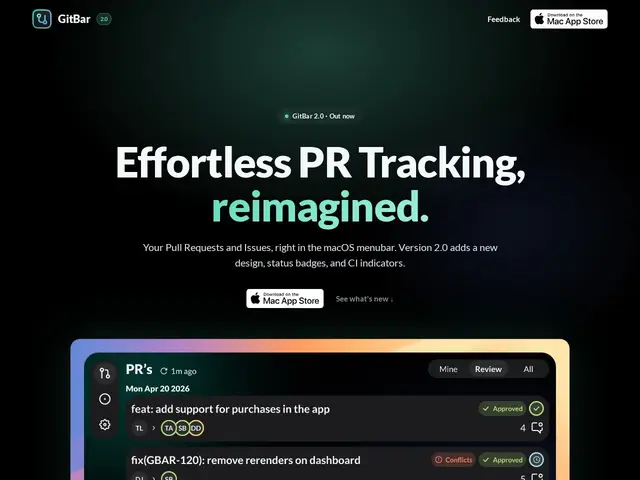
Description
Checking on pull requests usually means keeping a browser tab open to GitHub (or GitLab, or Azure DevOps) and refreshing it every so often to see what's changed. GitBar puts that same information in the Mac menu bar instead — a small icon at the top of the screen you glance at, rather than a tab you have to remember to check — so you notice a new review request the moment it happens.
GitBar is a native macOS menu bar application for tracking pull requests and issues across GitHub, GitLab (cloud or self-hosted), and Azure DevOps, supporting any number of connected accounts. It shows PR status badges (approved, has conflicts, CI passing/failing), organizes work into Mine/Review/All tabs, and sends notifications for new PRs or comments. It's a free download on the Mac App Store, with no paid tier.
💬 Our review
The short version: GitBar does one small thing — keeping pull requests visible in your menu bar — and does it well, for free, which is hard to argue with if you spend your day reviewing code.
Supporting GitHub, GitLab, and Azure DevOps in one place is the main reason to pick it over a bookmarked browser tab; most developers work across at least two of those at some point, and switching contexts to check status in three different web UIs adds up over a day. Being completely free with no upsell is refreshing for a tool this narrowly scoped. The obvious limitation is that it's macOS-only, so Windows and Linux developers are out of luck, and it does nothing beyond PR/issue visibility — no code review, no commenting from within the app. Compared to just leaving a GitHub tab open, GitBar saves real context-switching time for a Mac-based developer; compared to a more full-featured Git client like Tower, it's intentionally much narrower and simpler.
📊 Global score
🤖 AI-enriched data
Application gratuite disponible sur le Mac App Store, aucun palier payant.
Pros
Gratuit, sans palier payant
Supporte GitHub, GitLab et Azure DevOps dans une seule app
Badges de statut (approuvé, conflits, CI) directement dans la barre de menu
Notifications pour les nouvelles PR et commentaires
Cons
macOS uniquement, aucune version Windows ou Linux
Se limite à la visibilité des PR/issues, pas de revue de code intégrée
Fonctionnalité volontairement restreinte comparée à un client Git complet