QuickFlo
Lets an agency or software business build one automation once — like a call-routing workflow — and sell it to many clients, each with their own data, without rebuilding it per client.
🔗 Visit QuickFlo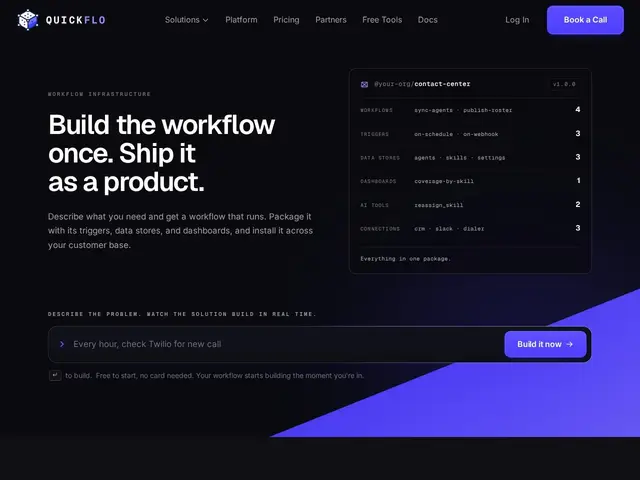
Description
Tools like Zapier or Make are great for automating your own business, but if you're an agency or software business trying to sell the same automated workflow to dozens of clients, you usually end up duplicating and hand-configuring it for each one. QuickFlo is built specifically for that resale scenario: build the business logic once, then deploy it as a packaged product across many customers, each with their own data, credentials, and settings kept separate.
The platform provides an AI-assisted workflow builder with 200+ step types, support for multiple trigger types (webhooks, schedules, chat, platform events), and built-in queryable data stores with dashboards. Per-customer connection mapping means each client's credentials and data stay isolated even though they're running the same underlying workflow. QuickFlo ships pre-built solution templates for contact centers, CRM-to-dialer syncing, list cleanup, and call handling, plus first-class integrations with HubSpot, Slack, Salesforce, Twilio, Zoom CX, Webex CC, Genesys, and any REST-enabled system. Workflows support nested sub-workflows, and the platform includes tracing and audit logs across every execution, with hosting and scaling fully managed by QuickFlo.
💬 Our review
The short version: if you're an agency or vertical SaaS builder who keeps rebuilding the same automation for every new client, QuickFlo's per-customer isolation on top of a single shared workflow is the actual feature that justifies its price — generic automation tools like Zapier or Make don't have a clean answer for "same logic, many tenants, separate data."
At $149-$1,249+/month depending on run volume and users, QuickFlo is priced well above Zapier ($20-70/mo for most small teams) or Make ($9-30/mo), but that's the wrong comparison — those tools aren't built for reselling a workflow as a multi-tenant product, and building custom multi-tenancy yourself (isolated credentials, per-customer data stores, a builder UI) would cost far more in engineering time than QuickFlo's subscription. For a single business automating its own internal processes, this is overkill and overpriced; for an agency or vertical SaaS packaging one workflow for many paying clients, the math flips and it's a legitimate build-vs-buy win. The 15% recurring partner commission for referrals is a nice touch if you're already in the agency/consulting space.
💰 Pricing
📊 Global score
🤖 AI-enriched data
Starter 149$/mois (10k runs) · Growth 449$/mois (250k runs) · Professional 1249$/mois (500k runs, 4h d'implémentation incluses) · Enterprise à partir de 1499$/mois
Pros
Isolation par client sur un même workflow partagé (multi-tenant natif)
200+ types d'étapes et builder assisté par IA
Intégrations poussées CRM/téléphonie (HubSpot, Salesforce, Twilio, Genesys)
Solutions préconfigurées pour centres d'appels et CRM
Programme partenaire avec commission récurrente de 15%
Cons
Bien plus cher que Zapier ou Make pour un usage mono-entreprise
Pertinent seulement si l'objectif est de revendre/packager, pas d'automatiser en interne
Peu d'informations publiques sur les retours clients existants