Desktui
Lets you view and control a remote computer's desktop without ever leaving your terminal window — pixel-perfect, no separate VNC app needed.
🔗 Visit Desktui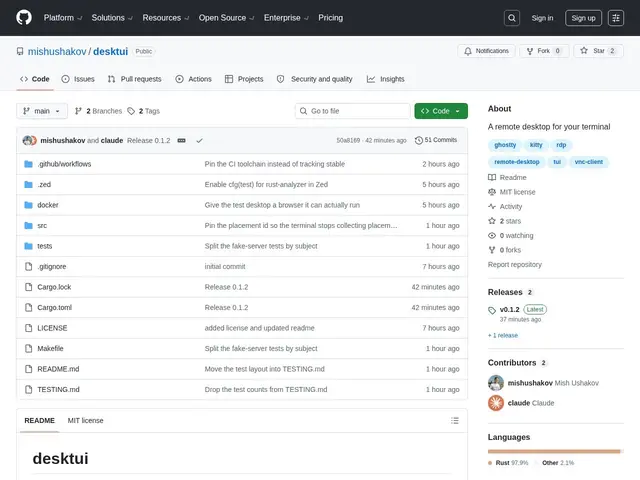
Description
Connecting to a remote desktop usually means switching out of your terminal into a dedicated VNC viewer app. Desktui skips that: it's a VNC client written in Rust that renders the remote screen directly inside terminal emulators that support the Kitty graphics protocol, so the remote desktop shows up as an image right there in your terminal window.
It achieves genuinely pixel-perfect rendering — one remote pixel per terminal pixel — with multiple scaling modes (native, fit, integer, 1:1) that you can switch between live. It supports bidirectional clipboard sharing, a view-only monitoring mode, adjustable quality and compression for different network conditions, precise mouse tracking without server-side lag, and can tunnel connections over SSH for secure access. It works with Kitty, Ghostty, and WezTerm terminals, and is optimized for performance with continuous updates and fence extensions that reach up to 466 fps on full-screen updates using shared memory. It requires Rust 1.88+, is free and open source, and — notably — was built as a weekend project using Claude Code and an Opus-class model specifically to stress-test what a frontier coding model could produce.
💬 Our review
The short version: if you already live in a terminal-based workflow (Kitty, Ghostty, WezTerm) and find switching to a separate VNC app annoying, Desktui's terminal-native rendering is a genuinely nice quality-of-life win, though it's a young, narrowly-scoped tool rather than a general-purpose remote desktop replacement.
Compared to standalone VNC viewers like TigerVNC or RealVNC's client, Desktui's whole value proposition is staying inside your terminal — you lose the polish and broader OS support of a dedicated GUI app, but gain a workflow that never breaks your keyboard-driven flow. It only works with terminals that support the Kitty graphics protocol, which is a real limitation if your terminal of choice isn't Kitty, Ghostty, or WezTerm. It's free and open source with a single, small-scale contributor base (2 GitHub stars) — worth trying if your setup already matches its supported terminals, but not a drop-in replacement for teams needing broad platform support or enterprise remote-access features like session recording or centralized access control.
💰 Pricing
📊 Global score
🤖 AI-enriched data
Gratuit, open source
Pros
Rendu pixel-perfect directement dans le terminal
Jusqu'à 466 fps sur mises à jour plein écran via mémoire partagée
Tunneling SSH pour connexions sécurisées
Partage de presse-papiers bidirectionnel
Gratuit et open source
Cons
Fonctionne uniquement avec des terminaux supportant le protocole graphique Kitty
Projet très jeune et à petite échelle (2 étoiles GitHub)
Pas de fonctions entreprise (enregistrement de session, contrôle d'accès centralisé)