Rudoc
Converts documents between formats like Markdown, Word, and PDF from the command line — a much smaller and faster alternative to Pandoc for the conversions most people actually need.
🔗 Visit Rudoc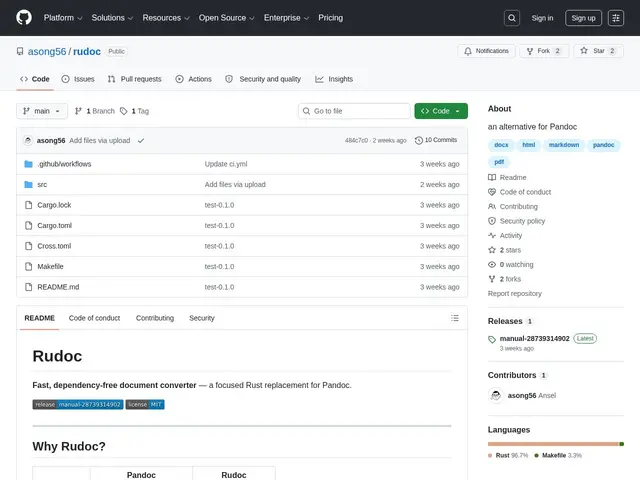
Description
Pandoc is the standard tool for converting documents between formats, but it's a roughly 100MB install with a 200-500ms startup time, which is overkill if you just need to turn a Markdown file into a Word document or a CSV into an Excel spreadsheet. Rudoc is a Rust rewrite aimed squarely at that everyday use case: a single, dependency-free binary that starts in under 5 milliseconds and weighs only 4-6MB.
Rudoc handles 12+ document formats including Markdown, HTML, plaintext, DOCX, Typst, and PDF, with fully bidirectional conversion between rich-text formats. It also covers presentation creation (Markdown to PowerPoint), tabular data (CSV to XLSX), and structured data (XML, OPML, JSON). It runs as a static binary with zero external dependencies, ships pre-built for Linux, Windows, and macOS across six platform/architecture combinations, can merge multiple files into a single output document, and supports PDF generation either via the Typst CLI or a built-in printpdf engine. It explicitly targets covering the 80% of document-conversion use cases Pandoc handles, not full feature parity with Pandoc's much larger format matrix.
💬 Our review
The short version: if you reach for Pandoc just to convert a Markdown file to Word or a CSV to Excel, Rudoc's sub-5ms startup and 4-6MB footprint make it a genuinely better fit for that everyday job, at the honest cost of not matching Pandoc's exhaustive format coverage.
Pandoc remains the tool to reach for if you need one of its more obscure format combinations, its extensive filter/Lua-scripting ecosystem, or its academic citation and bibliography handling — Rudoc doesn't claim to replace any of that. But for the common conversions most people actually run day to day, Rudoc's near-instant startup matters in scripted or CI pipelines where Pandoc's 200-500ms per invocation adds up across hundreds of calls, and the tiny binary size is a real win for container images or CLI tools you're distributing to others. It's very young (1 GitHub star at review time), so treat it as a promising, narrowly-scoped utility rather than a drop-in Pandoc replacement — test your specific format pair before committing a pipeline to it.
💰 Pricing
📊 Global score
🤖 AI-enriched data
Gratuit, open source
Pros
Démarrage sous 5ms contre 200-500ms pour Pandoc
Binaire de 4-6 Mo contre ~100 Mo pour Pandoc
12+ formats supportés avec conversions bidirectionnelles
Fusion de plusieurs fichiers en un seul document
Binaires prêts à l'emploi pour Linux, Windows, macOS
Cons
Ne couvre pas l'exhaustivité des formats et filtres de Pandoc
Projet très jeune (1 étoile GitHub), peu éprouvé
Pas d'écosystème de scripting/filtres comme Pandoc (Lua)