Tolaria
An open-source, offline-first note-taking app that stores everything as plain markdown files with full Git version control built in.
🔗 Visit Tolaria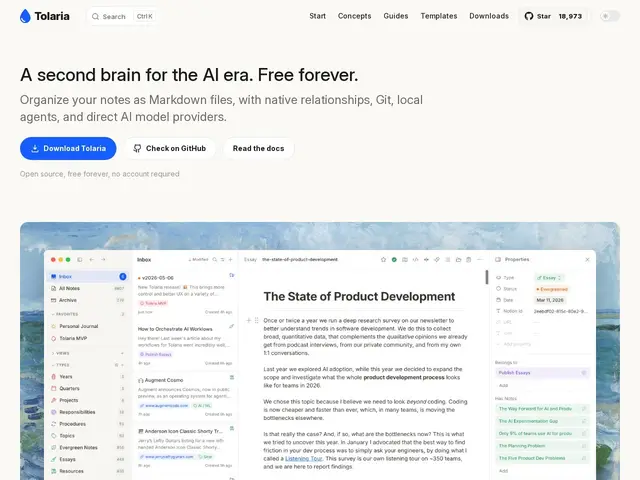
Description
Most note-taking apps lock your notes inside their own database or cloud account — if the company shuts down or you want to switch tools, getting your notes out cleanly is a hassle. Tolaria takes the opposite approach: every note is just a markdown file on your computer, organized however you like, with Git tracking every change automatically — so your notes are as portable and future-proof as any code project.
Tolaria is an open-source (AGPL-3.0), cross-platform (macOS, Windows, Linux) knowledge management app built by Luca, creator of the 170,000-subscriber Refactoring newsletter, after outgrowing existing tools while managing 9,000+ of his own notes. It combines a block-based editor with slash commands and wikilinks, a fully integrated Git client for version control and sync, and local AI agent support (Claude Code, Gemini) that can read and act on your notes directly. With 9,900+ GitHub stars and 3,500+ commits, it markets itself as 'a second brain for the AI era' — zero cloud dependency, keyboard-first, and free forever with no account required.
💬 Our review
The short version: if you've ever worried about a note-taking app going subscription-only, shutting down, or locking your data in a proprietary format, Tolaria's plain-markdown-plus-Git approach removes that risk entirely, at the cost of some of the polish that funded, closed-source tools like Notion offer.
Against Obsidian, its closest comparison, Tolaria's differentiator is the built-in Git client — Obsidian can sync via plugins or a paid sync service, but version history and multi-device sync via Git is native here, free, and inspectable. Against Notion or Roam Research, the tradeoff is the usual local-files-vs-cloud-database one: Tolaria won't give you Notion's databases-and-collaboration features, but you'll never be locked out of your own notes. The AI agent integration (letting Claude Code or Gemini act directly on your notes as files) is a genuinely different idea from bolting a chatbot onto a proprietary note database, and is likely to matter more as more people use AI coding agents day-to-day. The tradeoff is that a files-first, Git-based workflow has a steeper learning curve for non-technical users than Notion's polished onboarding.
💰 Pricing
📊 Global score
🤖 AI-enriched data
100% gratuit et open source (AGPL-3.0), aucun compte requis
Pros
Fichiers markdown natifs, zéro verrouillage propriétaire
Client Git intégré (historique + sync gratuits)
Agents IA locaux intégrés (Claude Code, Gemini)
100% gratuit, pas de compte
Cons
Moins riche que Notion en fonctionnalités collaboratives/bases de données
Courbe d'apprentissage plus technique (Git) qu'un outil grand public
Écosystème de plugins plus jeune qu'Obsidian