AudioMass
A free, browser-based multitrack audio editor for recording, mixing, and effects — nothing to install.
🔗 Visit AudioMass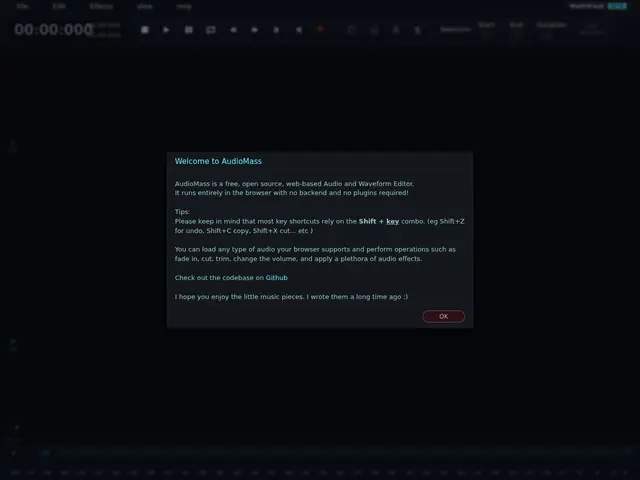
Description
If you've ever needed to trim a podcast clip or layer a couple of voice tracks but didn't want to install a full audio program just for that, AudioMass is built for exactly this moment. It's a complete audio editor that runs entirely in your web browser — open the page, drag in your audio files, and start cutting, mixing, and applying effects, all without downloading anything or creating an account.
AudioMass is an open-source (2,900+ GitHub stars) multitrack audio workstation built on the Web Audio API. It supports drag-and-drop multitrack editing, in-browser recording onto armed channels, waveform-level cut/copy/paste, a library of audio effects and EQ, automation, and export/bounce to standard audio files. Because it runs client-side in the browser, there's no server-side processing of your audio and no account required to use the core editor.
💬 Our review
The short version: AudioMass is a genuinely useful free tool if you need to do quick, real multitrack audio editing without installing Audacity or GarageBand — it won't replace a full DAW for serious production, but for editing, trimming, and light mixing it punches well above a "browser toy."
Compared to Audacity, the long-standing free desktop standard, AudioMass trades some depth (fewer plugins, no VST support) for zero-install convenience and a modern multitrack timeline that's arguably easier to pick up. Against paid browser-based options like Soundtrap, AudioMass wins purely on price — it's completely free and open source — but Soundtrap offers cloud collaboration and a more polished UI for teams. For anyone who just needs to record a quick track, layer a couple of clips, or clean up a podcast without committing to a desktop install, AudioMass is hard to beat on a cost-benefit basis.
💰 Pricing
📊 Global score
🤖 AI-enriched data
100% gratuit et open source, aucun compte requis pour l'éditeur de base
Pros
100% gratuit, open source, rien à installer
Édition multipiste directement dans le navigateur
Enregistrement, effets, EQ et automation inclus
Développement actif
Cons
Moins de plugins/effets qu'Audacity
Pas de support VST
Pas de collaboration cloud en temps réel comme Soundtrap