Palmier Pro
A Mac video editing app that lets you generate AI video, images and voiceover clips directly inside your timeline instead of making them in a separate app and importing the files — and it lets AI coding assistants like Claude drive the editor for you.
🔗 Visit Palmier Pro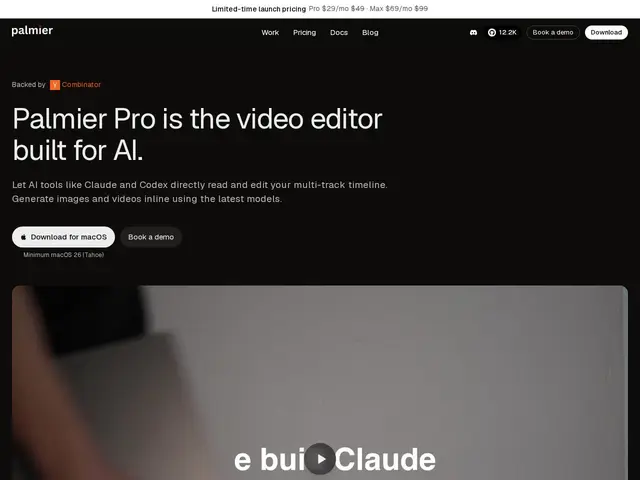
Description
Editing AI-generated video today usually means bouncing between a generator (for the clips), an image tool, and a separate editor to actually cut it together — a lot of exporting and importing for one project. Palmier Pro tries to collapse that into one Mac app: a real video editor with AI generation built directly into the timeline.
Palmier Pro is a Swift-native macOS video editor (GPLv3 open-source core, 12,200+ GitHub stars) with inline generation of images, video and audio using models like Kling V3, Seedance 2.0, Veo 3.1 and Grok Imaginex, plus MCP integration that lets AI assistants like Claude, Cursor and Codex drive editing tasks directly. It requires macOS 26 (Tahoe) on Apple Silicon. The core editor is free to use; AI generation features require a login and subscription — Pro at $29/month (launch price, $49 regular) or Max at $69/month (launch, $99 regular), plus a custom Enterprise tier.
💬 Our review
The short version: if you're already editing on a Mac and want AI-generated clips to land straight in your timeline instead of being juggled between separate apps, Palmier Pro's integration is genuinely convenient — but the free tier is editor-only, so the actual AI generation you're likely here for costs $29-99/month.
Against DaVinci Resolve, Final Cut Pro or Adobe Premiere — none of which have this level of native AI-generation integration yet — Palmier Pro's edge is specific and real: generating and editing in the same timeline, with an MCP hook that lets a coding-agent-style assistant automate parts of the edit. That's a meaningfully different workflow, not just 'another editor.' The tradeoffs are real too: it's Mac-only, requires the very recent macOS 26, and the free tier's core editor doesn't include the AI features that are the actual differentiator — you need a subscription for those, at prices that sit above budget AI-video tools and in the range of a serious creative subscription. For a solo creator or small team already committed to macOS and wanting one integrated AI-native editing app, it's a reasonable bet; for cross-platform teams or anyone not ready to pay for AI generation specifically, established editors remain the safer default.
💰 Pricing
📊 Global score
🤖 AI-enriched data
Éditeur de base gratuit. Pro : 29$/mois (lancement, 49$ tarif normal). Max : 69$/mois (lancement, 99$ tarif normal). Enterprise sur devis.
Pros
Génération IA (vidéo, image, audio) directement dans la timeline
Intégration MCP : Claude, Cursor, Codex peuvent piloter l'édition
Cœur open-source (GPLv3), éditeur de base gratuit
Multi-modèles IA (Kling V3, Seedance 2.0, Veo 3.1, Grok Imaginex)
Cons
Exclusif à macOS, nécessite macOS 26 (Tahoe) récent
Fonctions IA payantes uniquement (29-99$/mois)
Concurrents établis (Premiere, Resolve) ont un historique bien plus long