OOMOL Open Connector
A single login hub that lets AI agents and apps talk to over 1,000 other services — Gmail, Slack, Notion, Stripe and more — without you having to set up a separate password or API key connection for each one.
🔗 Visit OOMOL Open Connector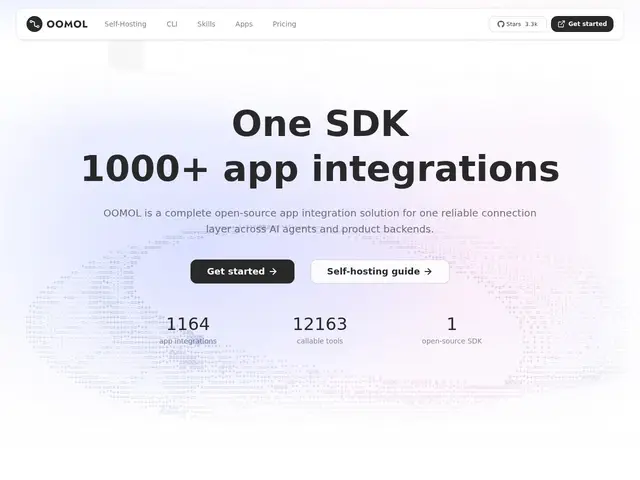
Description
Connecting an AI agent or app to even a handful of services like Gmail, Slack, Notion and Stripe usually means setting up separate logins, API keys and permission scopes for each one — tedious work that has to be redone for every new integration. OOMOL's Open Connector solves this by acting as one shared connection layer: authenticate once per service through OOMOL, and any agent or app you build can reuse that same connection.
Open Connector is an open-source (Apache 2.0, 3,300+ GitHub stars) authentication gateway that exposes over 1,000 SaaS providers and 10,000+ prebuilt actions through a unified catalog, accessible via SDK, CLI, MCP, HTTP or OpenAPI. It can be self-hosted or deployed on Docker, Fly.io or Cloudflare Workers, with a web dashboard for browsing providers and monitoring runtime activity. Pricing runs a free tier (20K app calls/month), a Pro tier at $20/month (22 monthly credits plus a 10% recharge bonus) and a Max tier at $100/month (120 monthly credits, 20% recharge bonus), with credits covering media, speech and call overages.
💬 Our review
The short version: Open Connector solves a real, recurring pain point — wiring an AI agent up to dozens of SaaS tools one credential at a time — by centralizing that authentication work, and being self-hostable and open source means you're not locked into a single vendor's integration platform the way you would be with a pure SaaS competitor.
The obvious comparison is Zapier or Make (formerly Integromat): both connect apps together, but they're built around human-triggered automations, while Open Connector is explicitly built for AI agents calling actions programmatically via MCP, SDK or API — a genuinely different use case even though the underlying 'connect to 1,000 services' pitch sounds similar. At $20-100/month for the paid tiers it's priced roughly in line with mid-tier automation platforms, though the credit system (covering media/speech/overage calls) adds a layer of complexity worth reading closely before committing. Self-hosting the open-source version avoids the subscription entirely if you're comfortable running it yourself, which is an option Zapier and Make simply don't offer. For teams building AI products that need to act across many external services, it's a reasonable default; for simple no-code human workflow automation, Zapier remains the more mature, more polished choice.
💰 Pricing
📊 Global score
🤖 AI-enriched data
Gratuit jusqu'à 20K appels/mois. Pro : 20$/mois (22 crédits + bonus recharge 10%). Max : 100$/mois (120 crédits + bonus recharge 20%). Auto-hébergement open-source également possible.
Pros
Plus de 1000 fournisseurs SaaS et 10 000+ actions prêtes à l'emploi
Auto-hébergeable et open-source (Apache 2.0), pas de lock-in
Accès multi-canal : SDK, CLI, MCP, HTTP, OpenAPI
Conçu spécifiquement pour les agents IA, pas juste l'automatisation humaine
Cons
Système de crédits pouvant complexifier la lecture des coûts
Moins mature/poli que Zapier pour l'automatisation no-code classique
3300 étoiles GitHub : communauté plus petite que les ténors établis