Pluck
A browser extension that lets you click on any button, card, or layout you like on a website and instantly turn it into ready-to-use code or a Figma file, instead of manually rebuilding it from scratch.
🔗 Visit Pluck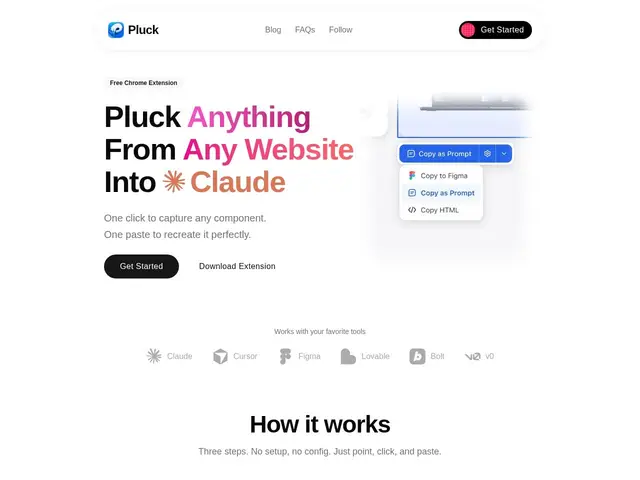
Description
Everyone who builds websites has done this: seen a nice-looking button or pricing card on someone else's site, opened dev tools, and manually copied CSS values one by one to recreate it. Pluck turns that whole process into a single click — point at any element on a webpage, and it captures the real HTML, CSS, colors, fonts, spacing, and layout behind it.
Pluck is a Chrome extension aimed at developers and designers who work with AI coding assistants. Once it captures a component, it can output that capture as a ready-to-paste prompt for tools like Claude, Cursor, Lovable, Bolt, and v0, as a raw HTML/CSS snippet, or as vectors imported directly into Figma. It supports multiple frontend frameworks on output (Tailwind, React, Svelte, Vue), so the captured component arrives in a format your project already uses rather than generic markup you have to translate yourself. It's built and operated by Quassum MB, and the free tier caps usage at 20 "plucks" per month plus 3 Figma plucks, with an unlimited tier at $9.99/year.
💬 Our review
The short version: at $9.99/year for unlimited use, Pluck is cheap enough to be a no-brainer if you regularly find yourself manually recreating UI you like from other sites, even though it's a narrow, single-purpose tool rather than a full design or dev platform.
There's no direct competitor doing exactly this combination of one-click capture plus AI-coding-tool-formatted output plus Figma export — the closest comparisons are manually inspecting elements via browser dev tools (free but slow and error-prone) or general screenshot-to-code AI tools that reconstruct a whole page from an image rather than capturing the real underlying markup. Pluck's advantage is that it grabs the actual HTML/CSS, not a visual reinterpretation, so the output is more accurate to the source. The free tier's 20-pluck cap is fine for occasional use but will feel tight if you're using it daily, and at under $10/year for unlimited, most regular users should just upgrade rather than manage the quota. It's a genuinely useful utility for its specific niche, not a replacement for a design tool or a coding assistant.
💰 Pricing
📊 Global score
🤖 AI-enriched data
Gratuit : 20 plucks/mois + 3 plucks Figma/mois. Unlimited : 9,99$/an.
Pros
Capture le vrai HTML/CSS source, pas une reconstruction visuelle approximative
Sortie formatée directement pour les assistants de code IA populaires
Support multi-framework en sortie (Tailwind, React, Svelte, Vue)
Prix très bas (9,99$/an) pour un usage illimité
Cons
Outil mono-fonction, ne remplace ni un vrai éditeur de design ni un assistant de code
Palier gratuit limité à 20 plucks/mois, vite atteint en usage régulier
Dépend du Chrome Web Store, pas d'autres navigateurs confirmés
Pas de date de fondation publique, produit jeune et peu de recul