Manifold
A Mac menu bar app that shows the status of all your GitHub and GitLab CI/CD pipelines at a glance, without opening a browser.
🔗 Visit Manifold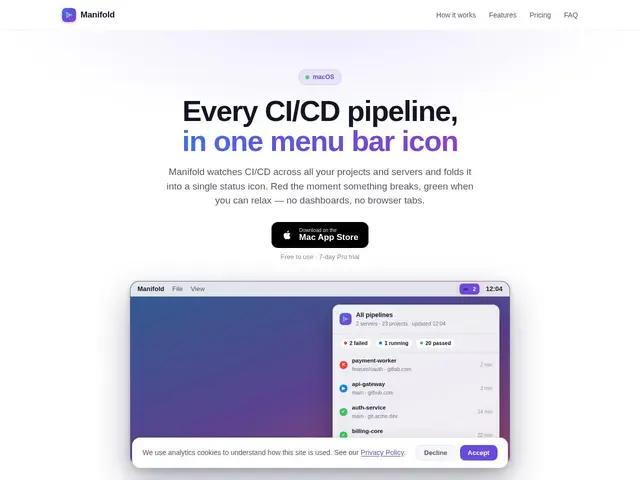
Description
Think of it as a dashboard light for your build pipelines. Instead of switching tabs to check whether a deploy passed or failed, a small icon sits in your Mac's menu bar and turns green or red the moment your CI/CD status changes — no browser, no refresh button.
Manifold is a client-only macOS application (no backend server) that connects directly to GitHub and GitLab APIs, including self-hosted GitLab and GitHub Enterprise instances on the Pro tier. It aggregates pipelines across multiple servers, groups and organizations into one status icon, supports pipeline actions like retry and cancel straight from the menu bar, tails job logs, and offers rule-based notifications with quiet hours so you're not pinged at 2am for a routine deploy. Tokens are stored in the macOS Keychain rather than on any Manifold-controlled server. It's built by Altessa Solutions Inc and distributed on the Mac App Store.
💬 Our review
The short version: if you're a Mac developer on GitHub or GitLab and tired of alt-tabbing to check pipeline status, $29.99/year removes that friction entirely — it's cheap enough that the real question isn't "is it worth it" but "do I still need it if my team already gets CI notifications in Slack."
Against the free path — GitHub's or GitLab's native web notifications — Manifold's edge is purely convenience: one glance at the menu bar instead of a notification you might dismiss without reading. It doesn't compete with broader observability platforms like Datadog, which track far more than CI status; it's a narrow, personal-productivity tool, not a team-wide monitoring solution. The client-only architecture (tokens never leave your Keychain) is a genuine privacy plus for anyone wary of connecting CI credentials to a third-party server.
💰 Pricing
📊 Global score
🤖 AI-enriched data
Gratuit pour les dépôts publics sur GitHub/GitLab ; version Pro à 29,99 $/an pour les dépôts privés, les instances auto-hébergées et les actions sur les pipelines (essai gratuit de 7 jours).
Pros
Icône dans la barre de menu macOS, zéro changement de contexte pour vérifier un pipeline
Application client-only : aucun serveur backend, jetons stockés dans le Keychain macOS
Supporte GitLab/GitHub Enterprise auto-hébergés
Prix très bas (29,99 $/an) pour un usage individuel
Cons
macOS uniquement — pas de version Windows ou Linux
Licence par machine, pas de plan d'équipe centralisé
Le support des instances auto-hébergées est réservé à la version Pro payante