UX Pilot
Describe a screen you need — a login page, a dashboard, a checkout flow — and this tool draws a real, editable UI design for it in under a minute, then sends it straight into Figma.
🔗 Visit UX Pilot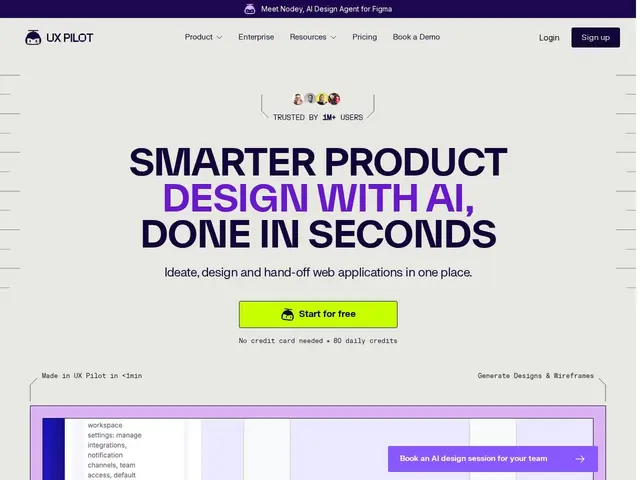
Description
Turning a rough idea into an actual screen design usually means either learning design software yourself or waiting on a designer's availability, which slows down early product decisions. UX Pilot compresses that step: you type what you need — "a settings page for a fitness app" — and it generates a real wireframe or high-fidelity UI design in under a minute, which you can then hand off to Figma to refine.
UX Pilot is an AI-powered UX/UI design platform aimed at product managers, designers and developers who need to move from idea to a visual screen quickly, claiming over 1 million users. It covers the full early-stage design workflow — ideation, wireframing, high-fidelity UI generation, and full screen-flow creation — and includes a Figma plugin to transfer generated designs directly into an existing design file, keeping the AI-generated work inside a team's normal design tooling rather than a separate silo. The free tier gives 80 daily credits with no credit card required; paid tier pricing and limits aren't detailed on the public homepage.
💬 Our review
The short version: UX Pilot is a fast way for a non-designer — a PM, a solo founder, a developer — to get from "we need a screen for X" to something visual and editable in Figma within a minute, without needing to open a blank canvas and start from nothing.
The Figma plugin integration is the practical detail that makes this usable in a real workflow rather than a novelty: generated output lands where designers actually work, instead of being trapped in a separate app that nobody opens again. The generous free tier (80 daily credits, no card) also makes it low-friction to try against a real project before committing. The honest caveat: paid pricing simply isn't public, which makes it hard to budget against Uizard or Galileo AI without signing up first, and "1M+ users" claims are common marketing language across this category that's worth taking with a grain of salt rather than as verified fact. As with any AI UI generator, treat the output as a fast first draft to react to and refine, not a finished design system — a human designer's judgment on hierarchy, accessibility, and brand consistency still matters more than the speed of the first pass.
💰 Pricing
📊 Global score
🤖 AI-enriched data
Gratuit : 80 crédits par jour, sans carte bancaire. Plans payants existants mais tarifs non détaillés publiquement.
Pros
Génération de wireframes et UI haute-fidélité en moins d'une minute
Plugin Figma pour transférer directement les designs générés
Palier gratuit généreux (80 crédits/jour, sans carte)
Couvre tout le workflow : idéation, wireframe, UI, flux d'écrans
Cons
Tarification payante non publique, difficile à comparer sans s'inscrire
Sortie IA à traiter comme un premier brouillon, pas un design final
Chiffres d'adoption ('1M+ utilisateurs') non vérifiables indépendamment