PlugThis
Describe the Chrome extension you want in plain English and get a working, installable extension in about two minutes — no coding required.
🔗 Visit PlugThis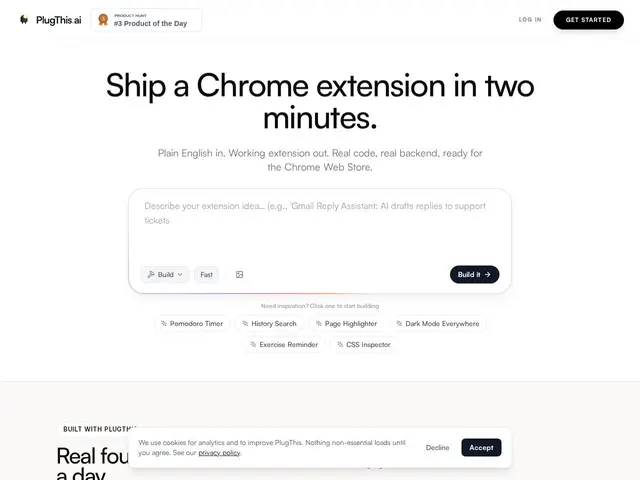
Description
Building a browser extension normally means learning Chrome's extension APIs, wrestling with manifest files, and writing JavaScript — a real barrier for anyone with an idea but no dev background. PlugThis removes that barrier: you type what you want the extension to do, and it generates a ready-to-install Chrome extension for you, similar to how tools like Bolt.new or v0 generate full web apps from a prompt.
PlugThis.ai generates Manifest v3-compliant Chrome extensions from natural-language prompts, exports a one-click .zip ready for the Chrome Web Store, and ships 14+ starter templates (CSS Inspector, Privacy Blur, Sticky Notes, Font Previewer, etc.). The Builder tier adds a full-stack option with integrated Supabase backend and built-in LLM connections (OpenAI, Gemini, Anthropic), so extensions that need a database or AI features don't require separate infrastructure setup. Generated code is fully owned by the user with no vendor lock-in.
💬 Our review
The short version: if you've ever thought "I wish my browser did X" but didn't want to learn extension development, PlugThis gets you a working prototype in minutes — the tradeoff is that it's a narrow specialist tool, not a general app builder.
Against general AI app builders like Bolt.new, v0 or Lovable, PlugThis's advantage is that it's purpose-built for the Chrome extension format specifically — manifest compliance, packaging, and Chrome-specific patterns are handled for you, which a generic app builder won't do as cleanly. The Builder tier's Supabase + LLM integration is a real convenience if your extension idea needs a backend or AI features, since you'd otherwise have to wire that up separately even with a general-purpose generator. The catch is price relative to scope: $9.99-29.99/month for what is, for many users, a one-off or occasional-use tool is a real cost if you only need to ship one or two extensions a year — and full source ownership means you could, in principle, get a similar result by prompting a general coding assistant for free if you're willing to do more manual setup. For someone regularly shipping small Chrome extensions or non-technical founders validating extension ideas, it's a fair trade for the time saved.
💰 Pricing
📊 Global score
🤖 AI-enriched data
Starter 9,99 $/mois (1 extension). Builder 9,99 $/mois les 3 premiers mois puis 29,99 $/mois (3 extensions, backend Supabase + LLM inclus).
Pros
Spécialisé extensions Chrome : conformité Manifest v3 gérée automatiquement
Export .zip en un clic, prêt pour le Chrome Web Store
14+ templates prêts à l'emploi
Propriété complète du code source, aucun vendor lock-in
Backend Supabase + LLM intégrés sur le plan Builder
Cons
Abonnement mensuel pour un besoin souvent ponctuel (une extension par an)
Outil de niche : ne construit que des extensions Chrome, pas des apps générales
Financement et ancienneté de l'entreprise non divulgués
Un assistant de code généraliste peut faire un travail similaire gratuitement avec plus d'effort manuel