OpenMontage
A free system that turns an AI coding assistant into a full video production studio — able to write the script, generate footage or find stock clips, add voiceover, and assemble a finished explainer or trailer end-to-end.
🔗 Visit OpenMontage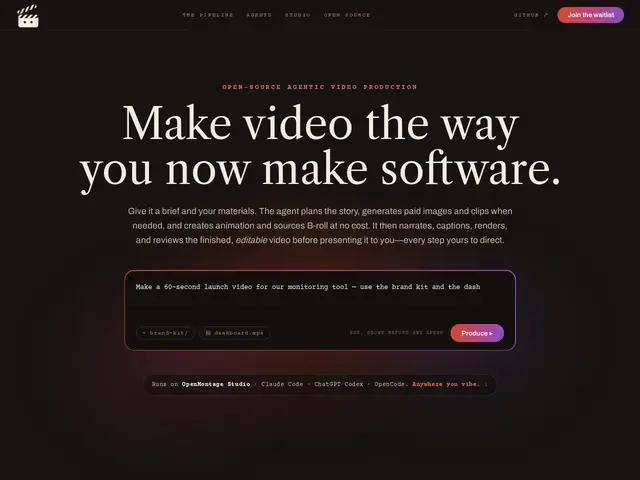
Description
Making a video — even a simple explainer or product trailer — usually means coordinating several separate tools: a script, footage or animation, voice narration, music, and editing software to put it all together. OpenMontage packages that entire workflow into a system an AI coding assistant can drive directly, picking the right combination of video generation, stock footage, and text-to-speech tools for the specific type of video you're making.
OpenMontage is a free, open-source (AGPLv3, ~42,000 GitHub stars) agentic video production system with 12 specialized pipelines (explainers, trailers, documentaries, podcasts, localization and more), integrating 15 video generation providers, 11 image tools and 5 text-to-speech engines, plus support for free local alternatives (Piper TTS, Archive.org, Pexels/Pixabay) to keep costs at zero if desired. It uses reference-video-driven creation to reduce prompt guesswork, includes a live production monitoring dashboard (Backlot), and scores which provider to use across seven dimensions (task fit, quality, control, reliability, cost, latency, continuity), with production governance features like approval gates and cost estimation before committing to paid API calls.
💬 Our review
The short version: if you want an AI assistant to actually produce a finished video rather than just write a script you still have to execute manually, OpenMontage's end-to-end pipeline approach is genuinely ambitious and free to start.
The zero-cost baseline (free TTS, free stock footage sources) paired with optional premium providers is a smart design choice — you can prototype and test the whole pipeline without spending anything, then upgrade specific steps (better voice, AI-generated footage) only where it matters. The scale here (12 pipelines, 100+ tools, 700+ knowledge files) is a lot of surface area for a project with 321 commits, and results will likely vary significantly by pipeline maturity — a documentary pipeline and a podcast pipeline probably aren't equally polished yet. For someone experimenting with AI-driven video production who wants to see what's possible without spending money, it's worth trying; for professional video production needing consistent, predictable quality, expect to supervise and edit the output closely rather than trusting it fully hands-off.
💰 Pricing
📊 Global score
🤖 AI-enriched data
Gratuit et open source (AGPLv3), base gratuite avec fournisseurs premium optionnels (vidéo, TTS) payants à l'usage.
Pros
Gratuit et open source, base 100% gratuite possible (TTS et stock libres)
12 pipelines spécialisés (explainer, trailer, documentaire, podcast...)
Sélection intelligente de fournisseur selon 7 dimensions (qualité, coût, latence...)
Tableau de bord de suivi de production en direct
Cons
Beaucoup de fonctionnalités pour un projet encore jeune (321 commits, 72 issues ouvertes)
Qualité probablement inégale selon le pipeline utilisé
Résultat à superviser de près, pas encore fiable pour une production professionnelle sans contrôle
Licence AGPLv3, plus contraignante que MIT pour un usage commercial dérivé